Countdown! 3 More Days…

… till our Type+Writer course begins! Whoooheeee! πŸ˜€

I’d like to send out the biggest, warmest cyberhug to everyone who signed up to take this journey with Jes and me! We are totally thrilled to be with you for the coming 14 days!

I’ve still got my nose stuck to the grindstone, working with love, but I just wanted to pass by here and say THANK YOU!

Thank you, too, for all the warm fuzzies that you’ve left here and on my 4shared account. You are all totally awesome!

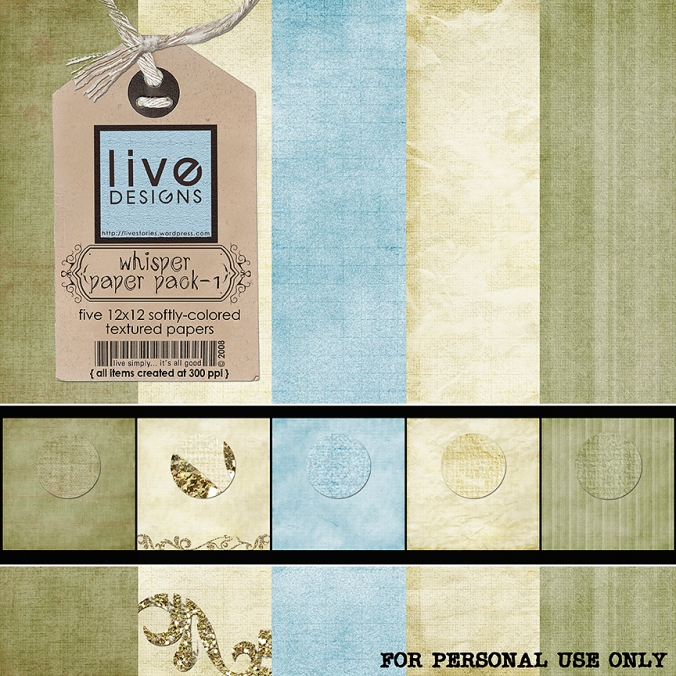
And because I’m never too busy to fulfill promises, here’s the paper pack (the first of two) that I promised I’d share with you!

LivEdesigns Whisper Paper Pack 1

LivEdesigns Whisper Paper Pack 1

Click on the image to download

Thanks for the love you leave on my blog as you download!

I also promise to come back with more exciting posts; I just need to get all my real life duties done! πŸ˜€

Hope you’re all having fun, and I’ll see you around again, soon! πŸ˜€

DST September Newsletter Out!

Zooming right onto my blog porch to deliver the news!

The September edition of the Digishoptalk newsletter is out! My friend Kel, who is the newest editor-in-chief of the newsletter, came out with a super-fabulous issue of Firsts! I love the look of the newsletter, love the editorial piece of Kel, love the theme, love the inside look at designers’ first kits redone… in fact, I don’t think I’ve enjoyed a DST newsletter as much as I have this one! AWESOME job, kel!

Oh, and here’s a little whispered tidbit: I have a little article there too, if you’re interested in reading it. πŸ˜† The newsletter is free, but you have to be registered at DST (also free)… if you are one of the few who aren’t yet registered, go run and get yourself counted among the minions! πŸ˜†
Here’s a screenshot of the first page of my … uh, rather lengthy but (I hope πŸ˜› ) inspiration-filled… article on Recording Firsts:

First Love Article

DigiShopTalk September Newsletter: First Love Article

And with great apologies for putting this up here a bit late (was totally consumed by working on the Type+Writer course, so my memory bank went pffft for a little while), here’s the freebie with items I created especially for layout that I made for the DST article:

LivEdesigns First Love - DST September Newsletter Freebie

LivEdesigns First Love - DST September Newsletter Freebie

Click on the image to download.

Thank you for the love you leave in my blog as you download! I love reading your comments, and am always grateful that you take the time to leave some warm fuzzies.

One little thing I wanted to point out: please note that the papers in the preview are not included in the freebie download (because in the article I had written that I would release as freebies some of the stuff that I created in making my layout that appeared in the newsletter, and I did not use these papers on my layout). BUT I will be putting these papers–and MORE– as free downloads within the next day or two, so if you want them, be sure to come back and grab them! πŸ˜€
All right, my workload is calling my name once again, so it’s back to the saltmines for me! I hope to see you soon again!

Huge hugs to you, my sweeties!

Where We’re At (and other W’s)

Technorati Tags: digital scrapbooking,freebies,Type+Writer

This is where we’re at right now… in other words, this is what you’ll see in any given room at any time of the day if you walk through our home:

Wall-E & Friends

Wall-E & Friends

In fact, even other toys are transformed into Wall-E Wannabe’s: (Sound byte: “Mom, look! I made my own Wall-e!” )

Wall-E, Version 2

Wall-E, Version 2

(That’s actually a toy that can be transformed into virtually anything, but its basic parts allow you to create dinosaurs and vehicles. Cool toys. We only had Lego when we were kids. hehe)

Work

I’ve been totally wrapped up in work on Type+Writer, our up-and-coming first-ever journaling and typography course on our Spraground! I’m extremely excited to be team-teaching the Type+writer course with the ever fabulous Jessica Sprague!

If you love making layouts but struggle with putting down the words to go with the photos, this course is for you! If you love writing, and journaling on layouts comes easy to you, this course is also for you! If you want to explore new techniques for getting those words onto your layouts with Photoshop’s awesome arsenal of tools, this course is for you! If you’ve taken any of Jessica’s online courses, you’d know that she is the absolute Best at everything she does, and you wouldn’t want to miss this latest course that she’s teaching! (Yep, in other words, you, you, and you… we’d love to have you in our course! πŸ˜€ )

So if you haven’t heard about it yet, read all about our Type+Writer course here! Registration will be on September 1st and our first day of class will be on September 8th! Jes and I promise that it’s going to be a fun-filled, very inspiring, creative two weeks that you’ll be spending with us when you decide to sign up for our course! So come, hop, skip, jump, run to the Spraground on September 1st and be counted among the beta Type+writers! πŸ˜€

Where Is He?

My sister left a comment asking me where the photo of Jun was on my blog… the one that he loved, the one that he said he’d use for all publications that request a photo of him. Well, sister dear, this is for you πŸ˜€ :

The Photography Master

The Photography Master

The Photography Master, Take 2

The Photography Master, Take 2

Wow, It’s About Time!

I’ve been wanting to release a freebie for the longest time… I took a break (a mental breather) and found some time to design a little paper pack for all you sweeties!

These aren’t the usual kind of papers that I normally make, but it’s always nice to push the envelope and explore horizons, right? (To my friend, Veevs, if you’re reading this, I hope I’m not too far off the mark when I say that I think these would be the kind of papers you might want to use! πŸ˜† )

So here is a mini paper pack for all of you: highly saturated and textured, for all those layouts that need an extra punch!

LivEdesigns Wild Grafix Paper Pack

LivEdesigns Wild Grafix Paper Pack

Click on the image to download.

Thank you so much for the love you leave on my blog as you download! I totally love reading your comments! πŸ™‚

Well, that’s all for now, folks! It’s back to the saltmines for me! πŸ˜†

Have a happy, scrappy day, my sweeties!

Preparations and Promises

What’s your current state of mind right now?

Mine is one of pure excitement! hee!

I have been working on a class that my dear friend Jessica and I will be teaching on our SpragroundΒ come September! (What an honor to be teaching with the digi-godess herself!) It’s called Type+writer, and it’s going to be a class on journaling and typography (Read all about it on the Spraground!)

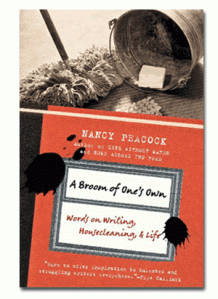
A few weeks ago, I was browsing through the bookstore and picked up this book:

A Broom of One's Own by Nancy Peacock

A Broom of One's Own by Nancy Peacock

A Broom of One’s Own: Words on Writing, Housecleaning & Life by Nancy Peacock

I wish I could say I bought it knowing that I would definitely find something in it that would inspire me for the upcoming course that I would be team-teaching with Jessica, but the truth is, it just called out to me from the bookshelf, and I am all weak-kneed and soft when it comes to resolve in bookstores. (Can never go in and come out without something in my hands).

When we digiscrap and when we edit our photos, we always talk about workflow. You know, what process do you normally go through when you scrap a layout? When you edit your photos? Well… ever thought about your workflow in a bookstore? πŸ˜† I’d love to know!

Here’s how I go from the shelf to the counter in bookstores.

I naturally seek out the areas that interest me. That would be… uh… probably everything. LOL. I can go from cookbooks (even if I don’t cook–there are great photos in there, and besides, hope springs eternal! πŸ˜› ) to interior design (love looking at house designs and room designs–you never know when you’re going to want to redesign your room or your kids’ rooms, right?) to the business books (for some smart reading) to the children’s books (oooh! lots of deliciousness there, and often deep wisdom disguised in very simple phrases too!) to graphic design/photography/photoshop books and writing/writers’ books and general interest books (these lastΒ threeΒ are where I spend the largest chunk of time browsing and turning pages).

I used to read fiction once upon a time, I’m sure. In fact, it’s all I read from the time I was a kid up to when I was in college. I don’t know when the shift occured, but lately I’ve had no interest in most fiction books (think I got more than my quota early on? πŸ˜€ )Β andΒ so it’s the nonfiction ones that have me totally absorbed.

But I digress.

We were talking workflow, right?Β πŸ˜€ AsΒ I go to these areas of the bookstore, I pick up a book, my attention called initially by the book’s title andΒ subtitle. First thing I do is turn it over and read the blurb at the back. If the blurb fails to catch me, back to the shelf the book goes and I’m off to get my interest hooked elsewhere. But if the blurb passes my initial test, then I open it to the first page and read the first couple of lines. If I fall in love at that point, the book never makes it out of my hands… itΒ glues itself to my hand and walks up to the counter with me, where the salesclerk goes ding-ding-ding, and a few minutes later I’m a happy woman taking home a new paperback or hardbound friend.

Funny how those first few lines matter. Even funnier, I’ve secretly caught my kids applying the same litmus test to the books they buy (Flip to first page, read first lines, good? Good! Sold!)Β  πŸ˜€


So anyway, back to Nancy Peacock’s book. Normally, my cousin (who is a publishedΒ poet in the US and my childhood constant companion and co-book-lover) will send me her latest recommendations about the best writing books and when this happens, I know exactly what to look for on my trips to the bookstore. But this time, last week, I went on a nice, not-looking-for-anything-specific kind of book shopping spree, and this is what I ended up taking home.

I love it. I don’t get much time in a day to read, what with my never-ending and ever-growing list of to-do’s that are screaming for attention, but once in a while you sit down with a book, and it’s just likeΒ having a cup of coffeeΒ with a new friend whom you’ve just discovered is such a warm, easygoing, interesting, funny person to be with, and you talk and talk and talk, and the one cup of coffee turns to three while the sun sets in the horizon…

Well, this book was that kind of friend to me. πŸ™‚

And wow, guess what? It has inspired me further with my work on the Type+writer course! How much better does it get, huh?

PS. I discovered with no small amount of joy that the author’s favorite books as a child were the Little House on the Prairie series by Laura Ingalls Wilder. That immediately made her my virtual best friend. πŸ˜† Nothing like finding out the books you loved as a child are regarded with as much holy affection by someone else heretofore unknown to you!Β I always think that’s an awesome thing! (Yeah, I have cheap thrills, hehe) πŸ™‚

So… if you’re in a bookstore, and you like reading a book that absolutely sounds like your best friend telling you stories about her job of cleaning houses while she effortlessly blends in her views about writing which happens to be her other job when she’s not housecleaning, then pick up this book. Not many books compel me to read till the last page without putting it down, but this one has. And it’s not even something that contains incredibly profound, earth-changing truths… it’s just such a joy to read.

Cover Page Done!

Speaking of having tons of stuff to do… I haven’t made a layout in soooo long, I was getting withdrawal symptoms! Not for lack of desire, no… just a total lack of 24 more hours in each day!

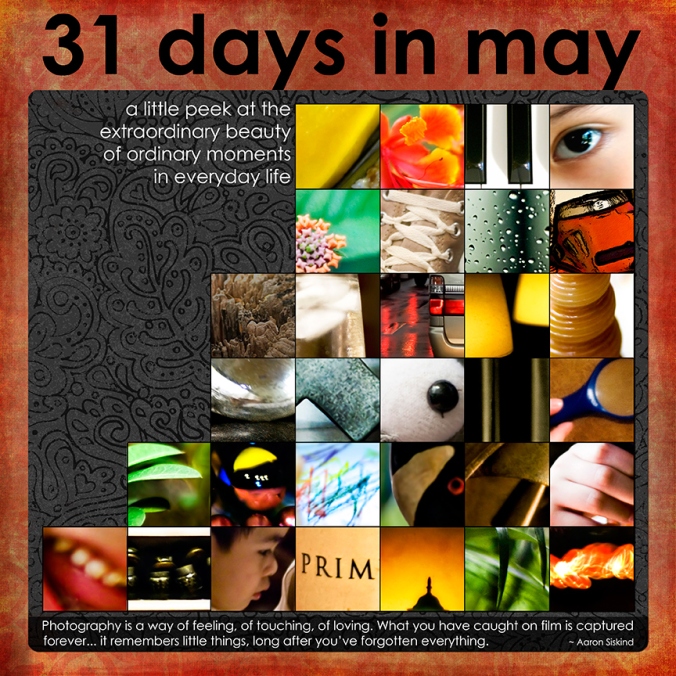
But! I finally finished the cover page of my May Photo A Day Album! Whoopeedoo!

Here’s what I created today:

LivE_May Photo-A-Day Album Cover Page

LivE_May Photo-A-Day Album Cover Page

Credits:

  • LivEdesigns-ExtraordinaryDaysAlbum-CoverPageTemplate
  • Meredith Fenwick – The Day Dreams Collection – Wildest Papers_Paper1
  • Katie Pertiet – Black Black Paper Pack_Paper1
  • Kim Christensen – Spelling101-BlackInkedOverlay, RedStampedOverlay
  • Photos by LivE

Oh! By the way, if you downloaded my multiphoto cover page template, don’t forget toΒ save often because there are 31 photo masks in there, and when you pull in your photos, you don’t want to lose the file in case Photoshop struggles with its memory requirements! πŸ˜‰ (Or merge the photo layer to the mask layerΒ to save memory, if you’re absolutely sure you’re not going to change it later on). I’m just sayin’… πŸ˜€

PS. I kept my photos in their original size and let some details of each photo peep out of the squares, just to add interest to the cover page. I love the idea of guessing what each photo is like, and having to get to the inside pages to find out what each one was, and then maybe flipping back to the cover page to match the full photo with the photo part that shows on the cover. Hee!

Maybe it’s related to my love for the World-National Geographic Magazine for Kids, which I had a subscription for back when I was about 8 years old. I loved flipping over to the back cover (what is it with my fascination for back covers? hahaha!) where there were always about 9 detail photos… and the reader had to guess what they actually were (answers were on the inside part of the front page, upside down… bet it was their way of making sure we didn’t cheat by reading them first before we got to the back detail photos! heehee).

And now, with the cover all done and those detail photos peeping out, I’m all excited to work on the inside pages!

Freebie Promised, Freebie Delivered!

And speaking of inside pages… I finally got these ExtraordinaryDays Album inside page single-photo templates zipped, loaded, and ready for sharing!

And just because I love ya, I decided to include separate png files of the swirl and circle cluster accents that I used on the psd files… just in case you want to use them on your other layouts as well! πŸ˜‰ Note that glass accents are the most difficult to add drop shadows to, because … uh… because glass behaves in a funny way, right? (Try putting a glass of something in the sun and you’ll see what I mean πŸ˜€ ).

So, because I really believe in keeping things as simple as possible, I decided to give you the glass accents with drop shadows applied already to them. If you wish to apply your own shadows further, you can… but note that this will make the black glass take on a darker, less transparent shade (and if that’s the look you’re going for, then it’s all good! πŸ˜€ )

So here’s what I’m sharing with you today!

LivEdesigns ExtraordinaryDays Album Inside Page Templates & Accents

LivEdesigns ExtraordinaryDays Album Inside Page Templates & Accents

Click here to get the Extraordinary Days Album Inside Page Templates and Glass Accents.

THANK YOU SO MUCH for the love you leave on my blog! (I love the fuzzies you leave on my 4shared account, but the love you leave on my blog will last forever, whereas the fuzzies on 4shared disappear once I unload the files :/ )

Don’t forget to link me up when you create with these as I’d really love to see what you create! πŸ™‚

And… that’s all for now, folks! Have a happy day, my sweeties!

Five Firsts!

What is it about first times that make them so special and memorable?

The first steps a baby takes has parents stumbling in their rush to reach for the camera to record the monumental event. The first grandchild. The first day of school (shiny shoes, new pencils, new bag… whee! nirvana for me and my siblings when we were kids!). The first visit from the tooth fairy. The first Christmas.

Then there’s the unforgettable first love (in nursery? mine was… uh, must I incriminate myself and let the world know that I was a lateΒ bloomer? heehee! I had my first crush inΒ  Grade 2–and I think I was mesmerizedΒ by the thick beard around his face more than anything else. πŸ˜† )

If you stopped right now and asked yourself, what are the latest first’s you’ve experienced lately, would you be able to list them downΒ and answer right away? Or would you have to pause as you traipse down memory lane, brows knotted in deep thought, as you try to recall the events of the last five months?

I was fascinated by the thought of First Anything today… and here are my five of my latest first’s!!! (Okay, you can accuse me of shameless–or shameful?–tooting, but hey, as we chanted in Chicago: we are worth it, right? πŸ˜‰ )

First Time to Be Featured in a Graphic Design Blog!

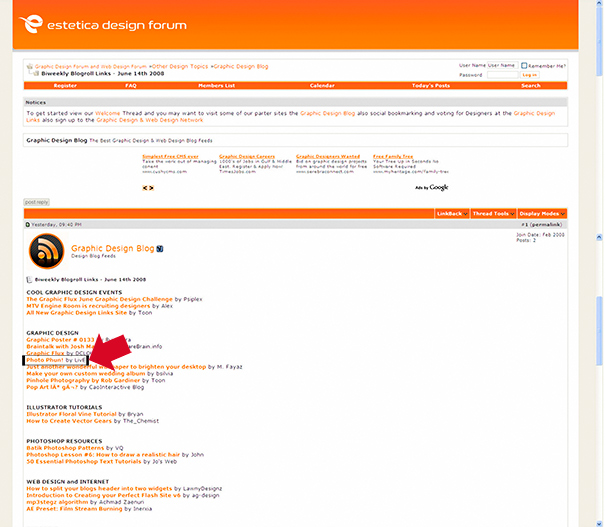
What a thrill! What a pleasant surprise! What a COOL thing to discover!Β This little humble blog porchΒ of mine was featured in two graphic design blogs last June 14th! The post that was featured was Photo Phun!

I almost fell off my chair in utter delight when I saw this:

Graphic Identity Blog Link

Graphic Identity Blog Link

And this!
Estetica Design Forum Blog Link

Estetica Design Forum Blog Link

A huge, happy THANK YOU to Estetica Design Forum and Graphic Identity!

First Time to Visit Chicago & New York

Totally awesome places! Loved The Bean at Chicago, eating deep dish pizza at Giordanos, walking and walking and walking around The Loop, dinner at Fultons by the River, and taking the Riverboat tour!

Chicago - Walking Along The Loop

Chicago - Walking Along The Loop

Chicago Buildings from the Riverboat

Chicago Buildings from the Riverboat

View from the Riverboat

View from the Riverboat

New York Times Square - the view from our hotel room window

New York Times Square - the view from our hotel room window

The Ubiquitous NYC Taxis

The Ubiquitous NYC Taxis

More photos coming in the future… there are just thousands and thousands of them! πŸ˜€

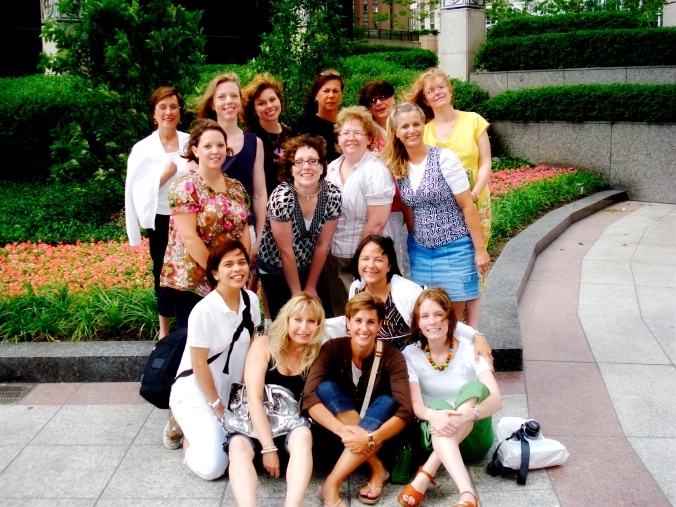
First Time to Hug My Dearest Spraground Sistahs!

In person! What a thrill! This has got to beΒ one of the most memorable and special experiences in my entire life! What a connection!
One of my favorite photos of Jes and me - taken by Susan

One of my favorite photos of Jes and me - taken by Susan

Love this photo taken by Jes!

Love this photo taken by Jes!

Some of my absolute favorite people in the world! - Photo taken by Lisa

Some of my absolute favorite people in the world! - Photo taken by Lisa

The Spraground Sistahs Take Over Windy City!

The Spraground Sistahs Take Over Windy City!

The only downside to this is that I end up missing them so much more now, and wish that the oceans were less wide and the lands were more spread out so that we could literally walk over to each other’s houses and give each other hugs in person anyday!

First Time to Do an Actual Hybrid Project

Ah… this one I was totally not sure about… but with a little modge podge, a little advice from my dear friend Lisa J (who won’t admit to being a creative crafter, but she is!), a little help from a carpenter friend who made the wooden box for me according to my specs, and a little help from my two sons who fixed the goodies/doggies inside it when it was done, I was able to play around with hybrid (yeah, so it was an adventure I’d been longing to do!) *and* use my heretofore unused-but-hoarded paper scrapping materials (and thus feel less guilty about the hoarding, haha) *and* come up with a birthday gift for my MIL who loves doggies!
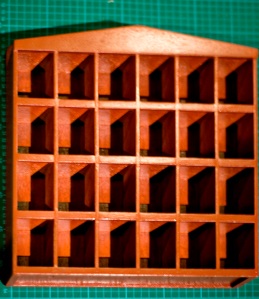
This is what I started out with: a wooden shelf with partitions, made according to my specs, with 4 rows of 6 little box-houses. The entire thing was aboutΒ 12in x 24in.
D )

Step 1 - Begin with a wooden shelf painted in colors you love (I didn't love the color on this one, hence the decision to decoupage the entire thing! πŸ˜€ )

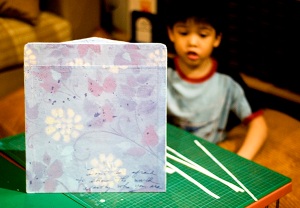
Step 2 - Modge-podge (yes, I've turned it into a verb!) patterned paper onto the sides of the shelf.

Step 2 - Modge-podge (yes, I've turned it into a verb!) patterned paper onto the sides of the shelf.

Step 3 - Cut patterned paper into vertical strips and modge-podge them onto vertical divisions of the shelf.

Step 3 - Cut patterned paper into vertical strips and modge-podge them onto vertical divisions of the shelf.

Step 4 - Do the same for the horizontal divisions of the shelf.

Step 4 - Do the same for the horizontal divisions of the shelf.

Step 5 - Cover top of shelf with patterned paper. Wash modge-podge off your hands in between applications in case you happen to be munching on chips. ;)

Step 5 - Cover top of shelf with patterned paper. Wash modge-podge off your hands in between applications in case you happen to be munching on chips. πŸ˜‰

)

Step 6 - Cover the back of the shelf with patterned paper to complete the shelf's clothing. πŸ™‚

Step 7 - Attach eyelets to chipboard flowers using the ever-reliable, handy-dandy Cropadile!

Step 7 - Attach eyelets to chipboard flowers using the ever-reliable, handy-dandy Cropadile!

Step 8 - Attach other embellishments to the top of the shelf to complete the look.

Step 8 - Attach other embellishments to the top of the shelf to complete the look.

Step 9 - Make it a family project (and allow yourself to take a break!) - Let kids take care of arranging the doggies on the shelf.

Step 9 - Make it a family project (and allow yourself to take a break!) - Let kids take care of arranging the doggies on the shelf.

Step 10 - Voila! Stand back and clap your hands as you survey your first hybrid project... because you've finally put some of your paperscrappin' hoard of goodies to use!

Step 10 - Voila! Stand back and clap your hands as you survey your first hybrid project... because you've finally put some of your paperscrappin' hoard of goodies to use!

Hee! This was fun while I did it… I’ve always loved crafts, and nothing beats the doubled fun of working on projects with kids… but… what can I say? I love digi first and always. πŸ˜†

And now… to continue the alliteration started with theΒ Five First’s… let’s talk about First FREEBIES!

And yes, I know, I’ve been giving out freebies for almost as long as this blog porch came into existence, butΒ  it’s my…

First Time to Come Up with an Album Template Mini Freebie!

Woohoo! I am so happy about this, and even happier to share these with you!


Here’s how this all ties in with my first First up there and my fifth First down here. Remember the Photo Phun post (the one featured in the graphic design blogs up there)? Well, that all came about because we at the Spraground were having the most fun adventure, led by the awesome Jessica, of coming up with a photo a day for the month of May! And since I’d been wanting to print out those photos and put them in an album instead of keeping them hidden inside a folder in my compy, I decided to create an album for them.


When I make layouts, more often than not,Β IΒ sketch in my trusty little graph notebook (Moleskine graph notebooks ROCK!) how I want the layout to look. And then I translate that pencil sketch onto my computer with Photoshop! So I made a cover page sketch for the album and a few inside page sketches.


While I was working on moving that sketch onto my compy via Photoshop, I decided… hey, since I’m making a multi-photo page for the month of May (which has 31 days and therefore 31 places for photos), why don’t I make a similar template for 30 days? That way, if any of us decides toΒ resume the Photo A Day adventure on any other month, we’d have a ready template for thoseΒ months with less than 31 days?


And then, since my brain is known to dive into this sort of territorial waters–haha, I decided to go full-speed ahead and include February as well (both 29 and 28 days), to complete the entire range of possibilities!


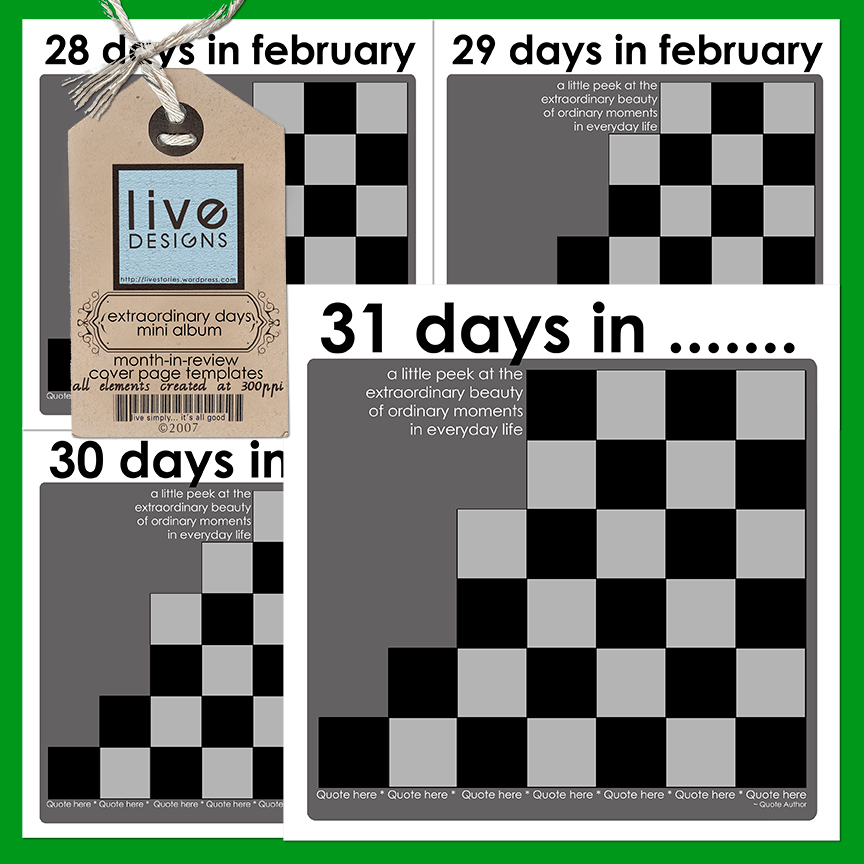
So here areΒ the different cover pages I made forΒ my Photo A Day Album… and I’m sharing them with you, as always!


LivEdesigns Extraordinary Days Cover Page Templates

When you use these templates, just type in the month that applies to your album where the ellipses are (I’ve left the text editable; feel free to change it!). I’ve also included a phrase to show where the journaling can fit in… and below there is an area for you to include a quote if you wish.


These templates come to you in .psd format. Use clipping masks to get your photos and digi paper onto the mats and photo masks. πŸ™‚


Note: If you’re into making regular layout pages that feature months-in-review, I figure these should come in real handy as well!


Click here to get the mini album cover page templates.


ETA: Link removed. See post of September 24 for new link.


Now, I can’t just give you the cover and not give you the inside pages as well, right? πŸ˜‰


Sooo… I created 3 inside page templates, each one of which is a single-photo template. There are two different portrait-oriented / verticalΒ  photo templates for the left and the right side of the album, depending on how your pages turn out; and there’s a single-photo template as well for landscape-oriented / horizontal photos.


I only made three templates because that’s all that I needed… and by using each one of them within the album, you can get an album that’s both pulled-together and unified!


Oh, and there’s a bonus inside as well! I created two black glass accents for use on the album pages… one is a black glass swirl and the other is a black glass circle cluster. I’m including them inside the .psd template files, but they are created on transparent backgrounds, so if you wish to use them in your other layouts as separate elements, feel absolutely free to do so (just read my TOU and don’t forget the credits! πŸ˜‰ ).


I’m presently working on zipping up the inside page templates, but since it feels like forever since I last released a freebie (and I’m uber-excited to share these with you πŸ˜€ ) I decided to release these cover pages now and come back and post the inside page templates in a separate download, once I’m done zipping them up! So don’t forget to check back for them!


I’m going to be working on my Photo A Day album in the next 24 hours (after I get the inside pages zipped up and on their way to you!), and when I’ve gotΒ my layoutsΒ done, I’ll upload them to share with you. If you use these and create pages or even an album of your own, do link me up! I’d looove to see how you use these and I would love even more the chance to marvel at the marvelous creations you come up with!


Alrighty then! Back to the worktable! πŸ™‚

Ready? Set? Action!

Ha. Totally corny title, I apologize. πŸ˜›

But am totally thrilled… just did my first action, which is really really simple, but which arose out of the necessity of uploading loads of photos from our Chicago Spraguefest onto the gallery which Jessica so kindly created for us on our Spraground! I just finished sorting through almost a hundred plus photos from the *first* day of our Spraguefest, and I was scratching my head, thinking, oh wow… if I have to resize all of these to websized files so I can upload them to the gallery, how long is that going to take me? There must be an easier way to do this!

Yep that’s me. Ever since I can remember, I would always think in terms of “What’s the most efficient way of doing this or that?” I guess it’s the latent problem solver in me (just wish this skill extended to a lot of real-life problems, haha!)

So, I did a bit of googling here and there, a bit of fiddling around here and there, and came up with 2 actions!

The first is called Batch Resize for Web, and what it does is reduce the width of your image to 600 pixels (the height automatically adjusts proportionally based on your original image’s height). It brings down resolution from 300ppi or higher to 72ppi, and it interpolates using bicubic sharper.

The second is called Batch Resize Original2Web, and what it does is just bring down the resolution to 72ppi and interpolates using bicubic sharper, but does not change the pixel size of your photo to a given measure. This would necessarily result in a larger physical photo than the first action, but still give you something that can be uploaded to galleries or emails where you are not constrained by small size limits.

I’ve created the action using CS3, so I’m sorry but I have no idea if it will work in Elements. :/

I created the action for doing batch resizing, but it can also be used to resize individual images (photos, layouts, etc) one at a time.

To use it to resize individual images, just load the action in your action palette, open your original image, and click on the Play button.

To use it to resize batch photos, just load the action in your action palette, and then:

1. Start by creating two folders anywhere on your compy. Name one folder “Originals” and the other folder “Resized” (or whatever you want to call it, as long as you know which folder the originals are in and which folder you want the resized photos to go into). Dump all the images you want to resize in the Originals Folder. You can also resize them directly from the existing folder that your photos are in, but in case you have chosen only a specific set of files to resize from a folder that contains more images, the Originals folder would be a better option.

2. Go to File > Automate > Batch.

3. In the Batch dialog box, under Play – locate the name of the action in the actions dropdown list.

4. In the Source area, select Folder in the dropdown list and select Choose. Navigate to the place on your hard drive where you placed the Originals folder. Don’t forget to check the two last boxes that allow you to suppress warnings and options.

5. In the Destination area, select Folder in the dropdown list and select Choose (exactly like the previous step). Navigate to the Resized folder that you just created.

6. In the File Naming area, you can input the names of your files, if you wish to change their filenames. What I did was to choose “2-Digit Serial Number” and keep the extension specified (in my case, jpeg).

7. Don’t forget to check all the boxes in the Compatibility area so that everyone, regardless of what platform they’re using, can view the photos.

8. Click OK.

Once you click OK, Photoshop will open each photo you’ve placed in the Originals folder, resize it, and save it to the Resized folder. Sometimes you might get prompts that ask you to select save settings (mine did for some); when this happens, just click OK and the process of saving the image will continue with the next photos in the batch.

I learned how to do this from Wired How To Wiki, a pretty cool placeΒ I just discovered.Β πŸ™‚

So… for my Chicago Spragsistahs and for all of you, my friends, who’ve come to visit and sit with me on my blog porch, here’s my action set. Hope you find some use for it! πŸ™‚ (And thanks so much in advance for the love you leave on my blog! πŸ™‚ )

ETA: If the 4shared link doesn’t work above (as I think some gremlins have been playing with the link), here’s another place where you can get my action set too.

Oh, and here’s a photo of that lovely time we had… more coming soon!

Β 

Flatties and Realies by the River

Flatties and Realies by the River

Alrighty! Back to the barracks to do more work! See you soon, my sweeties! πŸ˜€

I’ve been working on the…

… railroad, all the live long day… πŸ˜†

Do any of you remember that preschool song?

It’s been a super-fabulously EXCITING couple of days, staying up round the clock and working, working, working, and waiting, waiting, waiting… for the FIRST BIRTHDAY of our beloved Spraground!!! πŸ˜€

Our Spraground, aka jessicasprague.com, just turned one year old on June 4th, and we’re having a week-long celebration (or likelyΒ longer, since we all have a tendency to party at all times over there! πŸ˜† )! The site is new, with a MARVELOUS new look created by the awesome Jessica-and-Jared tandem, and lots of new things to celebrate! All of the great things, and then some more!!!

Jes is so wonderful: we now have MORE awesome courses offered right on our Spraground, so if you’ve happened to stumble onto my blog porch and haven’t visited our beloved Spraground, do come and join our celebration!

THE Candice Stringham will be offering a fabulous Photography course for beginners!

The expert on all things Shoebox and Mac, my friend Molly Schneider, will be offering a Shoebox class for digital organization… (Last month my sister was just sighing over the dearth of resources and support for Shoebox use, and I had told her “Go look for Molly because she’s awesome and she’ll be able to help you out!”… It’s truly amazing how you make a silent wish and then Jessica hears and makes it magically come true!).

Heidi Vanyo, of DigiScrapInfo fame (she and sister Connie areΒ the ACDSee experts), will continue teaching the ACDSee course.

Then there are other self-paced courses and more instructor-led courses coming up (including one on journaling and typography which Jes and I will be team-teaching on… this is totally EXCITING for me, and have I said what an incredible honor it is to be teaming up with the VERY BEST instructor??? WOOOHOOOO!!! πŸ˜€ )

Our site is totally THE place to be, so if you haven’t registered and checked it out, and you have even just a tiny teeny weeny interest in digi-scrapping, run, run, run to jessicasprague.com!!!

An Exclusive Freebie

I’ve been working hard on a Spraground Exclusive Freebie for the past days… and am so happy to say that the first part is complete and uploaded on our Spraground! You have to be logged in to get it, so do sign up… not only for the freebie, but even more for the phenomenal learning going on in that awesome site, and for the fabulous friendships you’re surely going to develop as soon as you join our Spraground family!

Here’s the first part of the exclusive freebie (Note: Since this freebie is exclusive to the Spraground, having beenΒ created in celebration of our First Birthday, there won’t be any links to it on my blog. The links are on jessicasprague.com! )

Exclusive Spraground Birthday Celebration Freebie

Β 

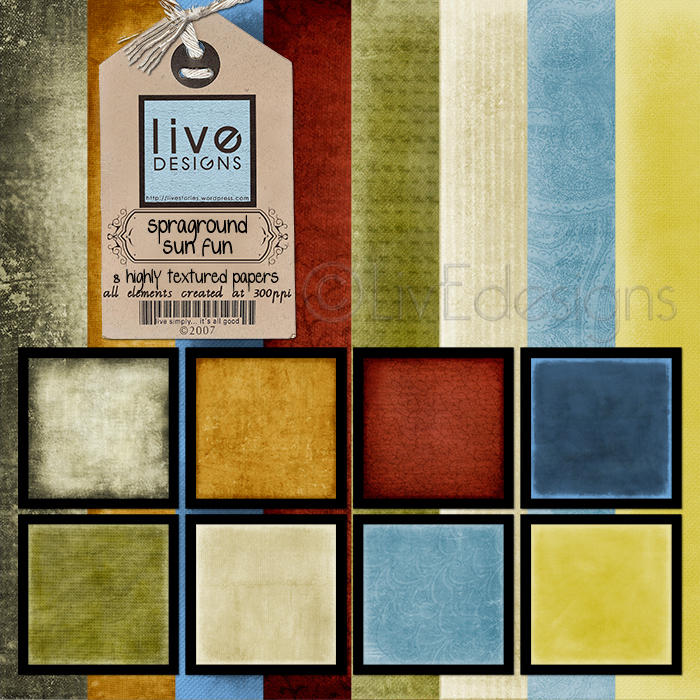
There are 8 highly-textured papers in this first part of the freebie! Totally had fun creating these!

If you’re not yet playing with us on our Spraground, here’s hoping you come over and join us! There are enough swings and slides! πŸ˜†

Oops!

It’s again 5AM and here I am still sitting at my compy. I guess that means I should be going, huh? πŸ˜†

Have a happy day, sweeties!!!

Photo Phun!

Wow! Thanks to everyone who left such great love in my blog and on my 4shared site; I am sooo glad that you liked the template (more of those coming soon!).

I just realized that I am sooo behind in posting my May Photo-A-Day exploits, so why don’t we sit on this porch swing, grab a cold drink, and just let the breeze play with our hair as we sit back and have a most relaxing chat? Sounds good? πŸ™‚

Oh, and while we’re at it, maybe let’s add some music… my dear friend Linda just introduced me to this guy (who doesn’t even know she and I exist, hehe), and I looked him up on youtube and totally fell in love with this song.

A bit of an aside: since my 2 older teen sons are into music (who of their age isn’t? πŸ˜› ), I asked them if they’d heard of Jason Mraz, thinking “Wow! They’re going to find me so cool, that I know contemporary music!”

The response? “Oh yeah mom, that song has been around for some time.”

So much for being cool. πŸ˜†

So… here we go! Maestro, play your music! (And you, dear friend, press that play button). hehehe

And now for some Photo Phun πŸ˜€

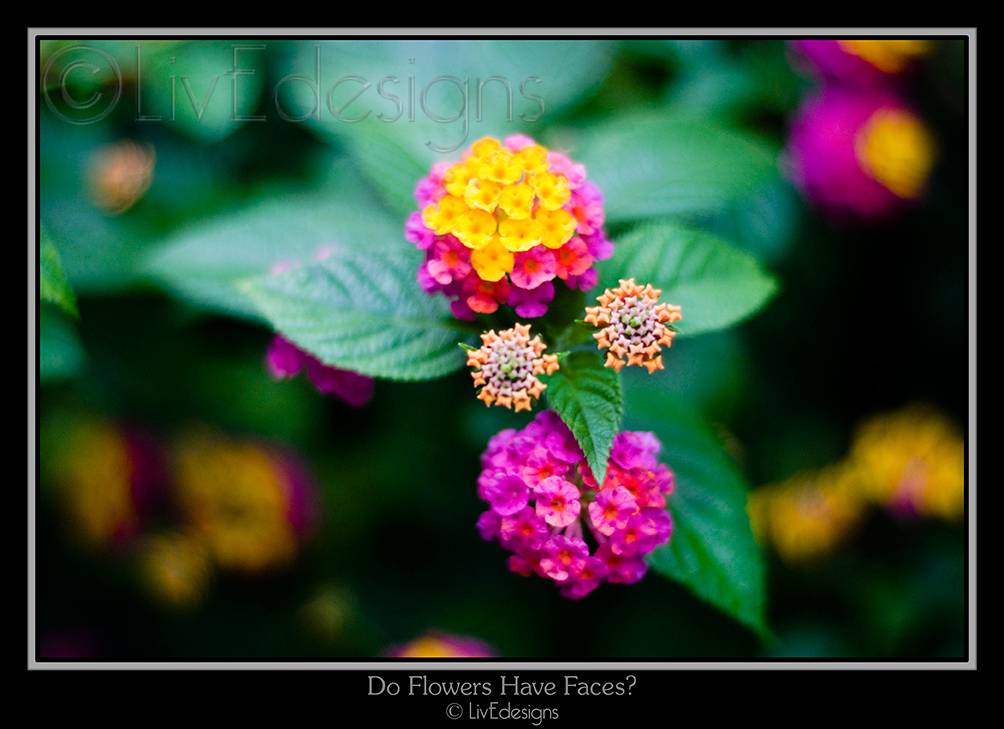
May05Β ~ Do Flowers Have Faces?

May05 PAD

I couldn’t help but think Madame Florabell when I saw this on a walk around our garden grounds… Is it just me who sees the eyes and the green nose and the tuft of yellow-fuschia hair, and her ruffly collar? heehee. Sometimes nature can have such a sense of humor!

(PS. I am utterly hopeless at identifying flowers by name! All I know is that these ones are so common around here, they even grew by the side of our childhood home… and when we were kids, we’d pick them all the time! πŸ˜€ )

May06 ~ A Very Casual Love Affair

May06 PAD

What can I say? I’m a jeans-and-sneakers kind of girl, true and through! Gotta love them (try running after 5 sons in skirts and heels and you’ll understand why I live in jeans and sneakers~ROFL!)

Intermission:

Here’s a layout I did with the extra takes of the day. πŸ˜†

PSF Storyboard

Could these shoes count me in as a hybrid scrapper? πŸ˜†

CREDITS:

MeredithFenwick-WildSide-DarkGrey paper (combined with KatiePertiet’s BlackBlack-Paper); AntiquePaperSwirls; AntiqueBits Postcard / Pieces of Me Sentimental Kit – Staple, Transparent Tape
JenWilson-ExtraSmudges
NancieRoweJanitz-ChalkedOverlay1
AmberClegg-PostageStamps
FONTS: SxTalk69; Mom’sTypewriter

The storyboard was created using Jessica’s Photoshop Friday Tutorial. Very easy, very fun to use!

May07 ~ Urban Tears

May07 PAD

Urban tears = rain in the city. Ever since I was a little kid, I always thought raindrops looked like teardrops. Shot this from inside my car on my way home from another one of the daily trips I hadΒ been making to the hospital for my kids. We were on top of the bridge as I shot this, so the background is actually the tops of the buildings as we passed.

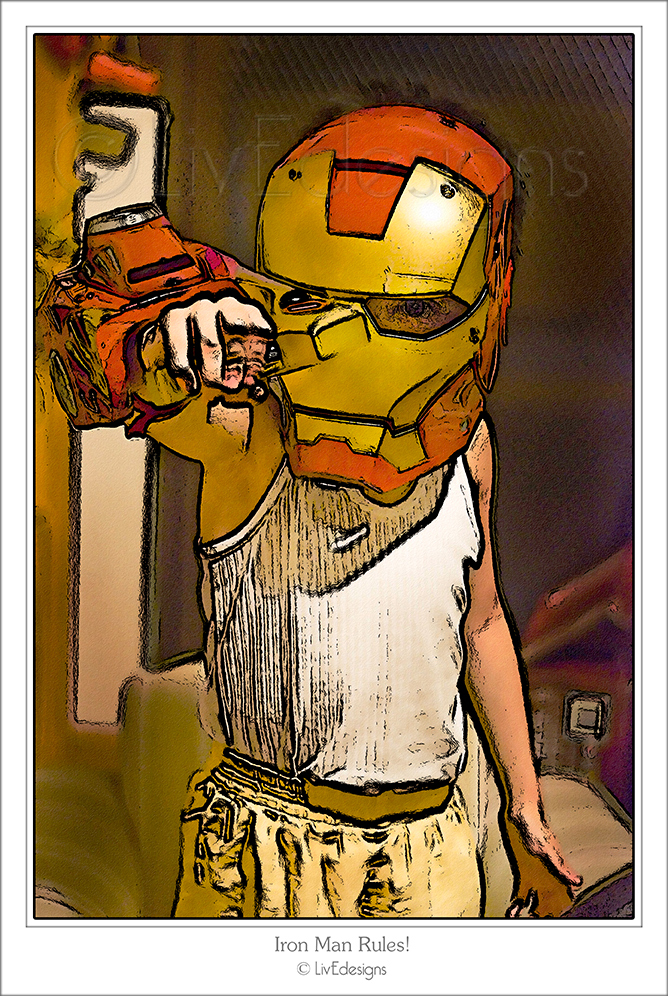
May08 ~ Iron Man Rules!

May08 PAD

I was going toΒ use the photo untouched, but my two older teen sons saw me playing around withΒ it using the WOW Watercolor and Linework Filter, and begged me to upload this instead. They said it fits the theme… and because *sometimes* my sons rule me, I let them have their way this time. hehe. (Guess the Comic Generation knows whereof they speak! LOL).

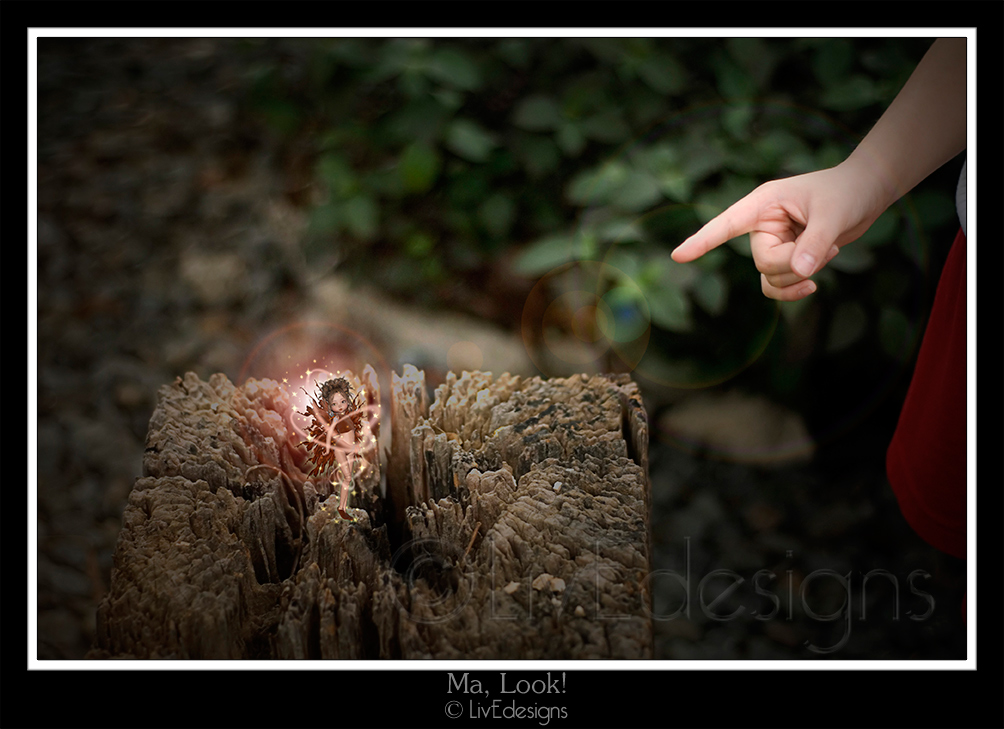
May09 ~ Ma, Look!

May09 PAD

Took this photo of my son’s hand pointing to a wooden thingie on our home grounds while he was on his (most probably) hundredth “Ma, look!”… I don’t remember seeing whatever it was he saw there (an ant?) but when the photo came out, I decided to play a bit with it, and added a little sprite! πŸ˜‰ Totally played with this! πŸ˜€

And okay, so the photo is real but I added the lights and the glow, and usedΒ Stephanie Baker-Thomas’ faery figure. πŸ™‚

May10 ~ aaaH2Ooooh

May10 PAD

Pure relief, and the best refreshing drink on a hot and humid day; and possibly the best elixir to take when you’re about to climb the walls because your internet router is dead and you can’t get to your favorite Spraground in the world. heh. πŸ˜›

Took this glass of water in my dining room… switched off all the lights except the corner lights and one on the right side. πŸ™‚

And okay, so there are more photos to upload, but before you doze off to sleep, I’m going to save you some energy and upload those at another time! hehehe πŸ˜†

Photo Phun Means Phreebie Phun!

And since you’ve been such wonderful friends, patiently looking at my photo exploits, here’s a little something for you! πŸ˜€

My sister, who has just completed the previous Up & Running course of Jessica a couple of months ago (and promptly GOT HOOKED, mwahahahaha), wanted to create a layout but only had 2 photos to use on it. What a dilemma, huh? I normally like using photos in groups of odd numbers (say 1 focal photo and 3 little ones)… I don’t think I’ve ever used just 2 photos on a layout.

But her dilemma got me thinking: What IF there were truly just two photos snapped? Then what?

Make a template for 2 photos! πŸ˜†

So I made her a template with two choices for the title area: One with a straight honest-to-goodness regular title, and another with a curved title path that leads into one of the photo masks.

And here’s the layout she came up with (I am so proud of this work of hers! So wonderful!)

Template Sample LO cnb

CREDITS:

AAspnes’ Web Challenge Brushes 18May, MZimmermann’s Breeze of Elegance Paper, MZ’s Timeless Journey Paper (recolored), MFenwick’s Warm Heart Paper 6 (journal spot), MZ’s Lifetime Moments Lock & Tag and Bundled Lock & Key Elements, JBolton’s Pastiche Screw, MFenwick’s Fall Fiesta Rhinestone Circle. Fonts: Lucida Blockletter and Century Gothic.

And here is what the templates look like:

You can get this template, which has a straight, no-nonsense title πŸ˜› by clicking on the template preview. πŸ˜‰

2Photo Template with Straight Title

And if you prefer a curved title path, you can get this template here (also by clicking on the preview) πŸ˜‰

2 Photo Template with Curved Title Path

Both templates are psd files with clipping masks included. All you have to do is clip your photos and papers on to them, add whatever accents you want to, and voila!

Happy Scrapping, my dear friends! Oh, and thanks for the love you leave in my blog!

And… have a LOVELY day! I’ll see you again soon!

Freebie Fun!

Just a quick one, as I’ve been through a whirlwind 2 weeks of real life and digi life and everything in between…

Just wanted to leave a quick gift for everyone who passes by my porch (and there’s iced tea and cookies and freshly brewed coffee too over here too! πŸ˜€ ).

Thank you for all the prayers and all the kind words that you’ve left in my comments.Β Your friendship is so precious to me, your words such a balm.Β You are totally awesome. Thank you from the bottom of my heart.

I am about 7 layouts delayed… 4 for our April challenges (was too busy wrapping up the previous run of the Up&Running course, and then attending to our Digi: In Deep course that followed on its heels πŸ™‚ ) and 3 layouts for the templates that I created for our Digi: In Deep creative challenges.

I hit two birds with one stone by combining this week’s Spraground Weekly Challenge-Designer Spotlight with my template-layout requirement (yay!) plus I got to restore and scrap with old photos. So yay, this was a great case of getting many things on my to-do list checked at one go! πŸ™‚

The designer we spotlighted on our Spraground this week was Anna Aspnes from DesignerDigitals, who–like every single designer in that fab shoppe–has the most amazing work and best of all, they are ultra-generous with their freebies! This past Sunday she gave out the most WONDERFUL plume freebies! So that’s what we played with for our challenge!

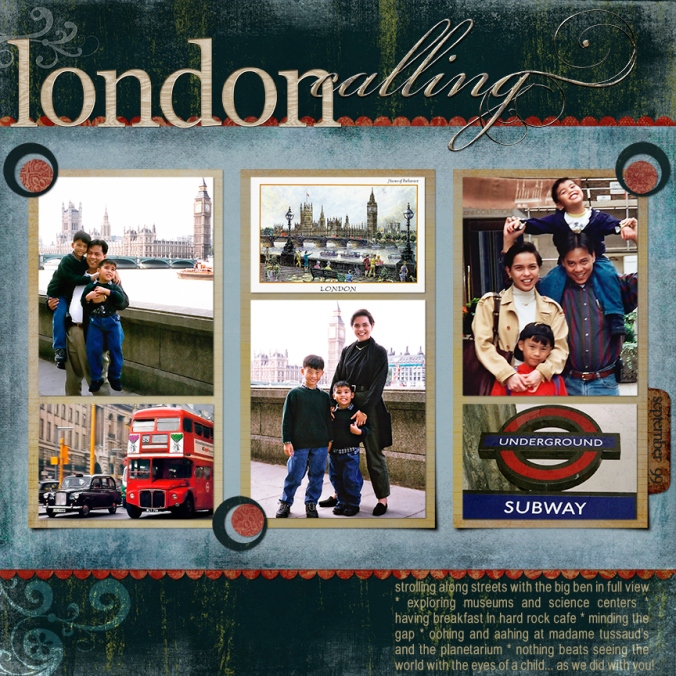
Here’s what I made:

DIDIt-03 Template

CREDITS:

LivEdesigns DIDIt-03 Template; Anna Aspnes – DD 18MayFreebie Plumes;Β MeredithFenwick-AfternoonSerenadePapers ; GrungyBabyPapers; WarmHeartAlpha;Β DawnWilson-BlackFridayTab;
Fonts: BeautifulES; BabelSans; Times&Times; subway photo from statravel.co.nw; AtomicCupcake & Wow actions

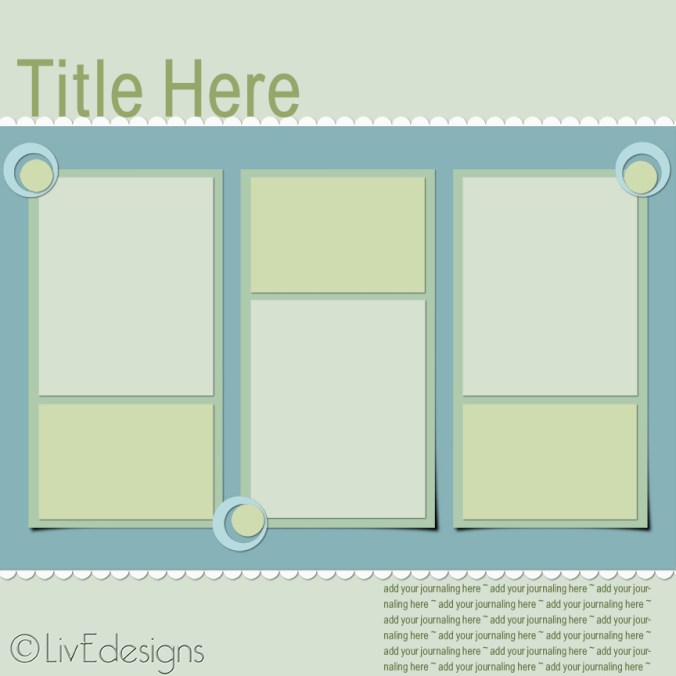
And here’s the template that I used:

It comes with the drop shadows to make the three blocks look dimensional (but you can always disable the shadows), and you can use it either as a 3-photo template with journaling spaces; or a 6-photo template.

Hope you find some use for it! You can snag the template HERE, and thanks for the love you leave on my blog as you download it!

Well, gotta rush back to the one million one things I need to attend to.

Oh, and PS. Just a little request for prayers:

1. for my dear, precious friend Lisa who has just lost her husband and best friend (we are all grieving with her and we keep her in our thoughts and prayers, and would love to have you join us in lifting our prayers to Heaven); and

2. for my special intentions (which have to do with V-day… will let you know all about that soon!)

Thank you so much in advance, and do visit again soon!

(((((((((hugs)))))))))

Well, hello there…

…good old friend(s) of mine… (are you singing along with me? :P)

Man, it’s been AGES! I am soo soo sorry for being absent from my porch swing… I’ve gotten a number of emails asking me why I’ve been quiet… I’ve been wanting, panting, hankering to come here and post freebies but ~sigh~ life has just been moving at full-speed ahead!

The kids are out of school, with summer officially here for the past month… and you who have school-age children just know how that means mom is also officially the Boredom Buster and Head Entertainer and Day Planner. It’s a total pleasure and it’s really my firstΒ job description (being wife and mom, hehe), so “working”Β  on the “peak period” of this jobΒ has been keeping meΒ busy… πŸ˜›

Then of course,Β there areΒ the fabulous courses at our Spraground! Now that’s what keeps me on myΒ Summer Mom toes! WHAT FUN!

We just finished up with the March run of the Up & Running beginners course… and I love that we have a lot of new Spraground family members who are joining us on the Dark Side! heehee! (And that includes my own sister and her three friends! Whoopeedoo!!! πŸ˜† )Β I have to say I looove moderating because nothing beats the pleasure of working with the incredible tandem that Jes and Jared are, and being able to helping others and being part of the incredibleΒ A-ha moments! It’s totally awesome to be part of the learning journey of new (and some old) friends, to see them grow in their Photoshop skills, to marvel at their creations and to be privileged to see them enjoy telling their lifeΒ stories… the joy is just so overwhelming.

Right after wrapping up the U&R course, we began (and are now heading towards the end of the first week) of ourΒ beta Digi: In Deep, my dear friend Jessica’s advanced course for digital scrapbooking. I have to say, each day, when that email comes into my inbox, I amΒ floored by the AWESOME activities and lessons that Jessica has planned for us! It is just so FABULOUS, so wonderful, and geez, I could run out of all the superlative adjectives, and still that wouldn’t come up to describing how much I love this course! Wow!

It’s an action-packed course, and I love every minute of it! But it also means that no matter how excited I amΒ to design new stuff for you (got a whole list of things I want to create for you!), it’s going to have to wait a little bit till I’ve gotten hang of my time management. (Yo, that big compound wordΒ thatΒ really just meanΒ I-would-give-anything-for-more-than-24-hours-in-a-day πŸ™‚ )

We’ve also come up with our Spraground Weekly Challenges, which are open to everyone who’s registered at our Spraground (registering is free; come play with us!) We’ve been seeing a whole load of awesome layouts coming up on our galleries, and, really, nothing beats playing AND learning at the same time!

As if toΒ tease me forΒ my longΒ absence, I open the door to this little place of ours on WordPress, and I am astounded. WHOA. This is totally rocking! A whole new face, beautiful clean colors of cool blues, greys and whites, a totallyΒ modern interface… WordPress is ROCKIN! Whoopee!!! πŸ˜€

Anyway, today I’ve pushed aside all other pressing matters to sit with you a while…Β because I’ve been suffering withdrawal symptoms from notΒ having been with you for what feels like forever!!!

I do want you all to know that I have been keeping you in mind and missing our porch conversations for the longest time! So I’m so glad to be with you today!

Layin’ It All Out

Here are someΒ layouts I’ve come up with since the last time I posted:

Jammin’ in My Jammies:

Jammin' in My Jammies

CREDITS:

Lisa Whitney – ArtsyFartsyPaper ; Katie Pertiet – StarGazers Flourish; Michelle Coleman – Glow Gold Dust Edge ; Chere Edwards @ digiocd.blogspot.com – Scribbles Alpha

Home

This was done for our Spraground Weekly Challenge Designer Spotlight, where our designer was none other than our fabulous Jessica Sprague! The challenge required us to use nothing else butΒ her Home Away from Home kit, which is fabulous, and the theme “Home”. You can get it Jessica’s fab kitΒ for free on her blog! (Link is on my right sidebar!)
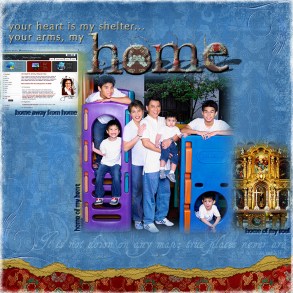
Home

CREDITS:

Jessica’s Home Away from Home Kit (papers slightly recolored); FONTS: Zapfhumnst BT, Tagettes

The Magic of a Child

This was done for our Spraground Weekly ColorLift Challenge, where we are required to do a scraplift (this one by heathert at DD) using a particular color scheme. Totally had fun with this one! (Then again, I have fun with each one! πŸ˜† )

The Magic of a Child

Journaling (Quote by Francis Thompson):

Know you what it is to be a child?

It is to be something very different from the man of to-day. It is to have a spirit yet streaming from the waters of baptism; it is to believe in love, to believe in loveliness, to believe in belief; it is to be so little that the elves can reach to whisper in your ear. It is to turn pumpkins into coaches, and mice into horses, lowness into loftiness, and nothing into everything, for each child has its fairy godmother in its own soul.

CREDITS:

One of my few topΒ favorite designers,Β Meredith Fenwick’s AfternoonSerenade Paper & Antique Paper Swirls; Jen Wilson’s ExtraSmudges (recolored) & Variety Alpha; NatashaWhiteley’s DiffusedGlow action (used on background curtain)

Simple Joys

This was done for our Spraground Merry Go Round Challenge, which required us to use photos that were taken in available light:

Simple Joys

Journaling:

everyday you teach me the beauty of simplicity. you reveal to me the treasures that hide within the smallest things. you run free and carefree, the afternoon breeze playfully tussling your soft hair, the crunchy grass embracing and cushioning your little feet, the warm glow of the sun bouncing on your chubby cheeks. you teach me that true happiness doesn’t cost a thing. it’s found in purity and innocence and, yes, simplicity. you need nothing more than empty space to frolic in to have the time of your lives. and i need nothing more than simply being with you for my heart to be filled with pure, unadulterated joy. ah, true happiness at its very best… yep, it really is that simple.

CREDITS:

Meredith Fenwick – EasySilence apple paper; TwilightDreaming Butterfly, JapaneseTree; CrazyBeautiful-PaintedFrame (recolored) & Alphabet
Annie Manning/Paint the Moon: Charmes d’Antan – Butterfly (altered) & Butterfly Wings
KimChristensen – Spelling101 Kit: Black Inked Overlay

DID I Say…?

Here are the two layouts we worked on for the first week of DID… Absolutely ROCKIN course!!! πŸ˜€

Lesson 1A: Of Friendships & Brotherhood

Of Friendships & Brotherhood

Journaling:

how totally wonderful to see the three of you working together, helping each other. one minute your faces are scrunched up in intense concentration; the next minute your eyes crinkle delightfully as you brust out in silly, boisterous laughter. today you build sandcastles; tomorrow you’ll build even greater things. what i hope remains the same is the spirit of love and friendship that you have for each other as you work and play together. because, my dear sons, more than any tangible thing, you build best when you build bridges of love.

CREDITS:

Everything from the DID Course MaterialsΒ by Katie Pertiet, Jen Wilson, Trish Jones, Linda Gill Billdal, Nancie Rowe Janitz, Mary Ann Wise, Lynn Grieveson. Fonts: Texas Hero, One Fell Swoop, Problem Secretary, English111 Presto BT

Lesson 1B: My Everyday Miracle

We had to create our own layout from scratch, using the techniques we had learned in Lesson 1. Here’s what I came up with:

My Everyday Miracle

CREDITS:

Meredith Fenwick-GrungyBaby papers(blended);Cowboy Papers; CrazyBeautiful-stitched eyelets/Paint-the-Moon Annie Manning-TheNaturalsRibbons-LeavesTie&Shadow/ Dani B-BlackFriday Button/Mary Ann Wise-AlaMode Flourish/Fonts: Porcelain, BeautifulES, SandraOh

As you may have noticed, I am very into Meredith Fenwick’s stuff… that’s because she just re-opened her store at ScrapbookGraphics.com and when I went to get her grab bag (among others, hehe)Β that celebrated her return (man, was that AWESOME!) Mer was soooo generous that I got an additional 50-off coupon to go crazy with in her shoppe again! Woohoo!!! Of course I got all that I could manage to get my itchy digi hands on. hehe.

I asked Mer if I could show you here the items I bought from her SBG shoppe, and she said YES! So… here’s what I’m totally loving right now!

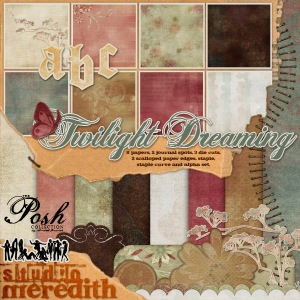
From her Posh Collection:

The Posh Collection

The Posh Collection

The Posh Collection

The Posh Collection

I also got her Everyday Inspiration collection, her Grungy Baby kit, and her Legible Notecards set. They’re all as wonderfully textured and beautiful as the Posh collection you see here!

And since you made it this far…

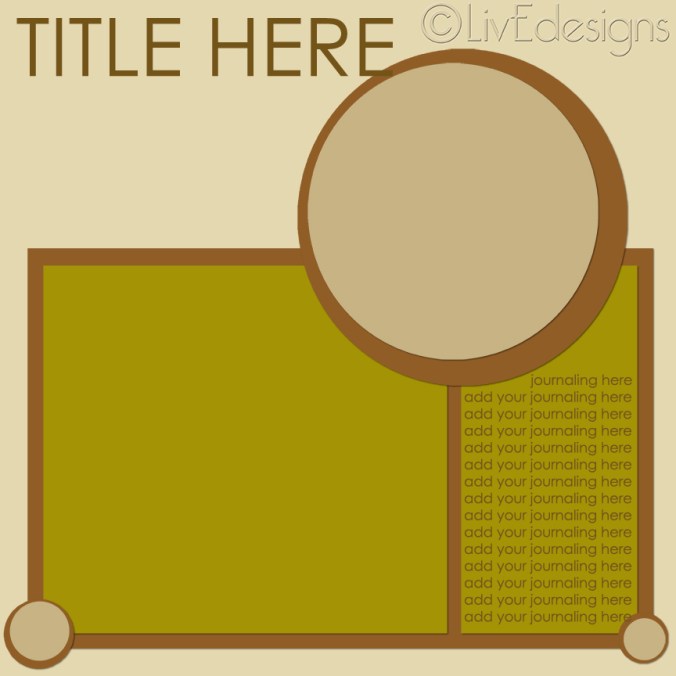
and because I’ve been gone for so long, I have a little something for you! I’m sharing with you the circle template that I created for our DID Lesson 1B class. It took me a huge amount of time tryingΒ to translate what I saw in my mind onto my monitor… but I am so thrilled that I was able to get it done!

This is a very simple template: I have not added strokes to any of the items (because it’s better to add the stroke after you’ve pulled in your papers and photos to clip on), and I’ve left the drop shadows out so that you can have absolute freedom in deciding where your light source is. I’ve also left the entire thing very basic so you can choose which accents you want to add into your own layout. I hope you find some use for this, and thanks for the love you leave right here on my blog! πŸ˜€

Here’s what you’re getting (the layout I made with it is above):

LivEdesigns DID It Circle Template

And you can click here to get it!

EDITED on October 14th:

I’ve received word that the old link is no longer valid. I’ve re-uploaded and changed the link upon request… you may now click on the image of the template to get the new link for it! πŸ˜‰

Now I really need to get back to my work on the DID course… so I hope to see you soon!

Have a great day, my sweeties!!! I promise I’ll do my best not to stay away so long again! πŸ˜€