Technorati Tags: digital scrapbooking,freebies,Type+Writer
This is where we’re at right now… in other words, this is what you’ll see in any given room at any time of the day if you walk through our home:
Wall-E & Friends
In fact, even other toys are transformed into Wall-E Wannabe’s: (Sound byte: “Mom, look! I made my own Wall-e!” )
Wall-E, Version 2
(That’s actually a toy that can be transformed into virtually anything, but its basic parts allow you to create dinosaurs and vehicles. Cool toys. We only had Lego when we were kids. hehe)
Work
I’ve been totally wrapped up in work on Type+Writer, our up-and-coming first-ever journaling and typography course on our Spraground! I’m extremely excited to be team-teaching the Type+writer course with the ever fabulous Jessica Sprague!
If you love making layouts but struggle with putting down the words to go with the photos, this course is for you! If you love writing, and journaling on layouts comes easy to you, this course is also for you! If you want to explore new techniques for getting those words onto your layouts with Photoshop’s awesome arsenal of tools, this course is for you! If you’ve taken any of Jessica’s online courses, you’d know that she is the absolute Best at everything she does, and you wouldn’t want to miss this latest course that she’s teaching! (Yep, in other words, you, you, and you… we’d love to have you in our course! 😀 )
So if you haven’t heard about it yet, read all about our Type+Writer course here! Registration will be on September 1st and our first day of class will be on September 8th! Jes and I promise that it’s going to be a fun-filled, very inspiring, creative two weeks that you’ll be spending with us when you decide to sign up for our course! So come, hop, skip, jump, run to the Spraground on September 1st and be counted among the beta Type+writers! 😀
Where Is He?
My sister left a comment asking me where the photo of Jun was on my blog… the one that he loved, the one that he said he’d use for all publications that request a photo of him. Well, sister dear, this is for you 😀 :
The Photography Master
The Photography Master, Take 2
Wow, It’s About Time!
I’ve been wanting to release a freebie for the longest time… I took a break (a mental breather) and found some time to design a little paper pack for all you sweeties!
These aren’t the usual kind of papers that I normally make, but it’s always nice to push the envelope and explore horizons, right? (To my friend, Veevs, if you’re reading this, I hope I’m not too far off the mark when I say that I think these would be the kind of papers you might want to use! 😆 )
So here is a mini paper pack for all of you: highly saturated and textured, for all those layouts that need an extra punch!
LivEdesigns Wild Grafix Paper Pack
Click on the image to download.
Thank you so much for the love you leave on my blog as you download! I totally love reading your comments! 🙂
Well, that’s all for now, folks! It’s back to the saltmines for me! 😆
I have been working on a class that my dear friend Jessica and I will be teaching on our Spraground come September! (What an honor to be teaching with the digi-godess herself!) It’s called Type+writer, and it’s going to be a class on journaling and typography (Read all about it on the Spraground!)
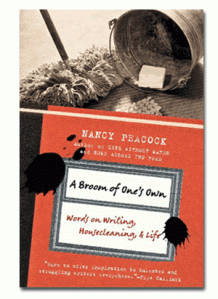
A few weeks ago, I was browsing through the bookstore and picked up this book:
I wish I could say I bought it knowing that I would definitely find something in it that would inspire me for the upcoming course that I would be team-teaching with Jessica, but the truth is, it just called out to me from the bookshelf, and I am all weak-kneed and soft when it comes to resolve in bookstores. (Can never go in and come out without something in my hands).
When we digiscrap and when we edit our photos, we always talk about workflow. You know, what process do you normally go through when you scrap a layout? When you edit your photos? Well… ever thought about your workflow in a bookstore? 😆 I’d love to know!
Here’s how I go from the shelf to the counter in bookstores.
I naturally seek out the areas that interest me. That would be… uh… probably everything. LOL. I can go from cookbooks (even if I don’t cook–there are great photos in there, and besides, hope springs eternal! 😛 ) to interior design (love looking at house designs and room designs–you never know when you’re going to want to redesign your room or your kids’ rooms, right?) to the business books (for some smart reading) to the children’s books (oooh! lots of deliciousness there, and often deep wisdom disguised in very simple phrases too!) to graphic design/photography/photoshop books and writing/writers’ books and general interest books (these last three are where I spend the largest chunk of time browsing and turning pages).
I used to read fiction once upon a time, I’m sure. In fact, it’s all I read from the time I was a kid up to when I was in college. I don’t know when the shift occured, but lately I’ve had no interest in most fiction books (think I got more than my quota early on? 😀 ) and so it’s the nonfiction ones that have me totally absorbed.
But I digress.
We were talking workflow, right? 😀 As I go to these areas of the bookstore, I pick up a book, my attention called initially by the book’s title and subtitle. First thing I do is turn it over and read the blurb at the back. If the blurb fails to catch me, back to the shelf the book goes and I’m off to get my interest hooked elsewhere. But if the blurb passes my initial test, then I open it to the first page and read the first couple of lines. If I fall in love at that point, the book never makes it out of my hands… it glues itself to my hand and walks up to the counter with me, where the salesclerk goes ding-ding-ding, and a few minutes later I’m a happy woman taking home a new paperback or hardbound friend.
Funny how those first few lines matter. Even funnier, I’ve secretly caught my kids applying the same litmus test to the books they buy (Flip to first page, read first lines, good? Good! Sold!) 😀
So anyway, back to Nancy Peacock’s book. Normally, my cousin (who is a published poet in the US and my childhood constant companion and co-book-lover) will send me her latest recommendations about the best writing books and when this happens, I know exactly what to look for on my trips to the bookstore. But this time, last week, I went on a nice, not-looking-for-anything-specific kind of book shopping spree, and this is what I ended up taking home.
I love it. I don’t get much time in a day to read, what with my never-ending and ever-growing list of to-do’s that are screaming for attention, but once in a while you sit down with a book, and it’s just like having a cup of coffee with a new friend whom you’ve just discovered is such a warm, easygoing, interesting, funny person to be with, and you talk and talk and talk, and the one cup of coffee turns to three while the sun sets in the horizon…
Well, this book was that kind of friend to me. 🙂
And wow, guess what? It has inspired me further with my work on the Type+writer course! How much better does it get, huh?
PS. I discovered with no small amount of joy that the author’s favorite books as a child were the Little House on the Prairie series by Laura Ingalls Wilder. That immediately made her my virtual best friend. 😆 Nothing like finding out the books you loved as a child are regarded with as much holy affection by someone else heretofore unknown to you! I always think that’s an awesome thing! (Yeah, I have cheap thrills, hehe) 🙂
So… if you’re in a bookstore, and you like reading a book that absolutely sounds like your best friend telling you stories about her job of cleaning houses while she effortlessly blends in her views about writing which happens to be her other job when she’s not housecleaning, then pick up this book. Not many books compel me to read till the last page without putting it down, but this one has. And it’s not even something that contains incredibly profound, earth-changing truths… it’s just such a joy to read.
Cover Page Done!
Speaking of having tons of stuff to do… I haven’t made a layout in soooo long, I was getting withdrawal symptoms! Not for lack of desire, no… just a total lack of 24 more hours in each day!
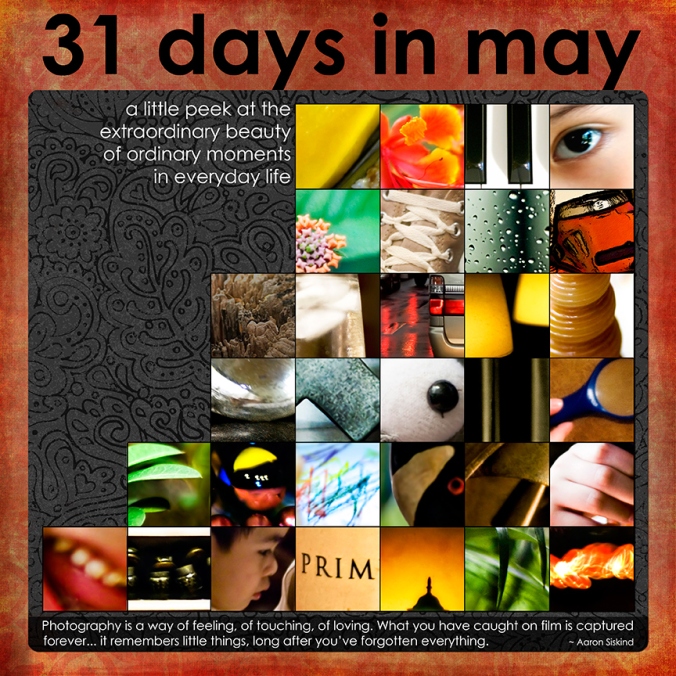
But! I finally finished the cover page of my May Photo A Day Album! Whoopeedoo!
Meredith Fenwick – The Day Dreams Collection – Wildest Papers_Paper1
Katie Pertiet – Black Black Paper Pack_Paper1
Kim Christensen – Spelling101-BlackInkedOverlay, RedStampedOverlay
Photos by LivE
Oh! By the way, if you downloaded my multiphoto cover page template, don’t forget to save often because there are 31 photo masks in there, and when you pull in your photos, you don’t want to lose the file in case Photoshop struggles with its memory requirements! 😉 (Or merge the photo layer to the mask layer to save memory, if you’re absolutely sure you’re not going to change it later on). I’m just sayin’… 😀
PS. I kept my photos in their original size and let some details of each photo peep out of the squares, just to add interest to the cover page. I love the idea of guessing what each photo is like, and having to get to the inside pages to find out what each one was, and then maybe flipping back to the cover page to match the full photo with the photo part that shows on the cover. Hee!
Maybe it’s related to my love for the World-National Geographic Magazine for Kids, which I had a subscription for back when I was about 8 years old. I loved flipping over to the back cover (what is it with my fascination for back covers? hahaha!) where there were always about 9 detail photos… and the reader had to guess what they actually were (answers were on the inside part of the front page, upside down… bet it was their way of making sure we didn’t cheat by reading them first before we got to the back detail photos! heehee).
And now, with the cover all done and those detail photos peeping out, I’m all excited to work on the inside pages!
Freebie Promised, Freebie Delivered!
And speaking of inside pages… I finally got these ExtraordinaryDays Album inside page single-photo templates zipped, loaded, and ready for sharing!
And just because I love ya, I decided to include separate png files of the swirl and circle cluster accents that I used on the psd files… just in case you want to use them on your other layouts as well! 😉 Note that glass accents are the most difficult to add drop shadows to, because … uh… because glass behaves in a funny way, right? (Try putting a glass of something in the sun and you’ll see what I mean 😀 ).
So, because I really believe in keeping things as simple as possible, I decided to give you the glass accents with drop shadows applied already to them. If you wish to apply your own shadows further, you can… but note that this will make the black glass take on a darker, less transparent shade (and if that’s the look you’re going for, then it’s all good! 😀 )
So here’s what I’m sharing with you today!
LivEdesigns ExtraordinaryDays Album Inside Page Templates & Accents
THANK YOU SO MUCH for the love you leave on my blog! (I love the fuzzies you leave on my 4shared account, but the love you leave on my blog will last forever, whereas the fuzzies on 4shared disappear once I unload the files )
Don’t forget to link me up when you create with these as I’d really love to see what you create! 🙂
And… that’s all for now, folks! Have a happy day, my sweeties!
What is it about first times that make them so special and memorable?
The first steps a baby takes has parents stumbling in their rush to reach for the camera to record the monumental event. The first grandchild. The first day of school (shiny shoes, new pencils, new bag… whee! nirvana for me and my siblings when we were kids!). The first visit from the tooth fairy. The first Christmas.
Then there’s the unforgettable first love (in nursery? mine was… uh, must I incriminate myself and let the world know that I was a late bloomer? heehee! I had my first crush in Grade 2–and I think I was mesmerized by the thick beard around his face more than anything else. 😆 )
If you stopped right now and asked yourself, what are the latest first’s you’ve experienced lately, would you be able to list them down and answer right away? Or would you have to pause as you traipse down memory lane, brows knotted in deep thought, as you try to recall the events of the last five months?
I was fascinated by the thought of First Anything today… and here are my five of my latest first’s!!! (Okay, you can accuse me of shameless–or shameful?–tooting, but hey, as we chanted in Chicago: we are worth it, right? 😉 )
First Time to Be Featured in a Graphic Design Blog!
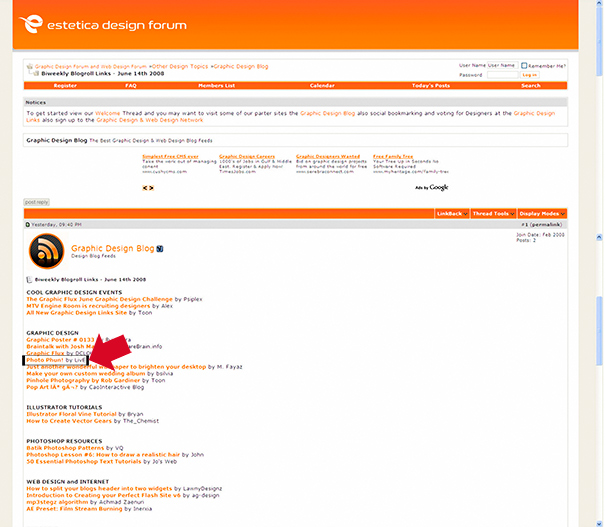
What a thrill! What a pleasant surprise! What a COOL thing to discover! This little humble blog porch of mine was featured in two graphic design blogs last June 14th! The post that was featured was Photo Phun!
I almost fell off my chair in utter delight when I saw this:
Graphic Identity Blog Link
And this!
Estetica Design Forum Blog Link
A huge, happy THANK YOU to Estetica Design Forum and Graphic Identity!
First Time to Visit Chicago & New York
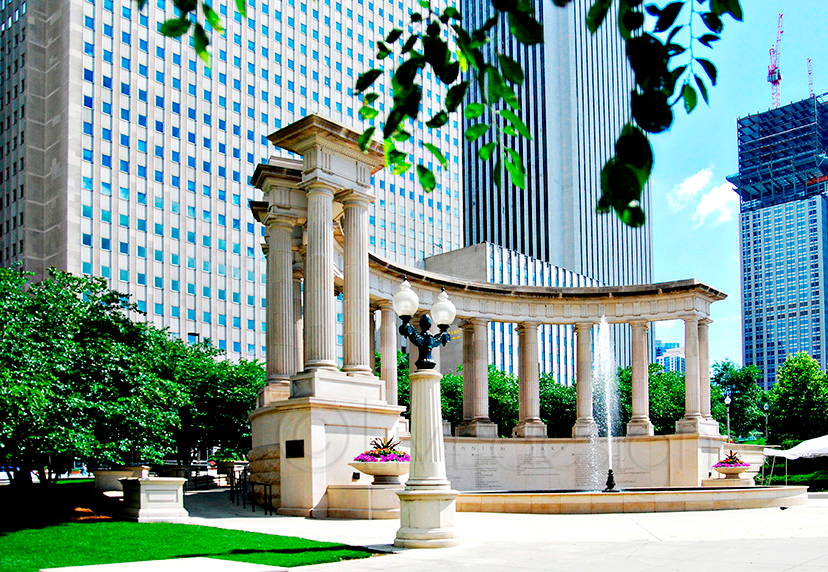
Totally awesome places! Loved The Bean at Chicago, eating deep dish pizza at Giordanos, walking and walking and walking around The Loop, dinner at Fultons by the River, and taking the Riverboat tour!
Chicago - Walking Along The Loop
Chicago Buildings from the Riverboat
View from the Riverboat
New York Times Square - the view from our hotel room window
The Ubiquitous NYC Taxis
More photos coming in the future… there are just thousands and thousands of them! 😀
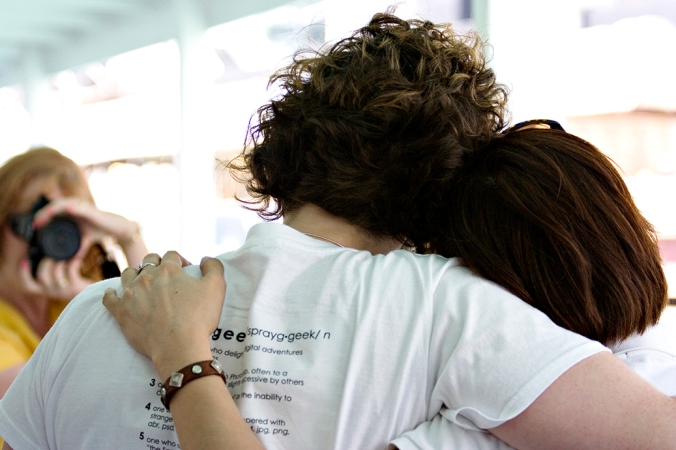
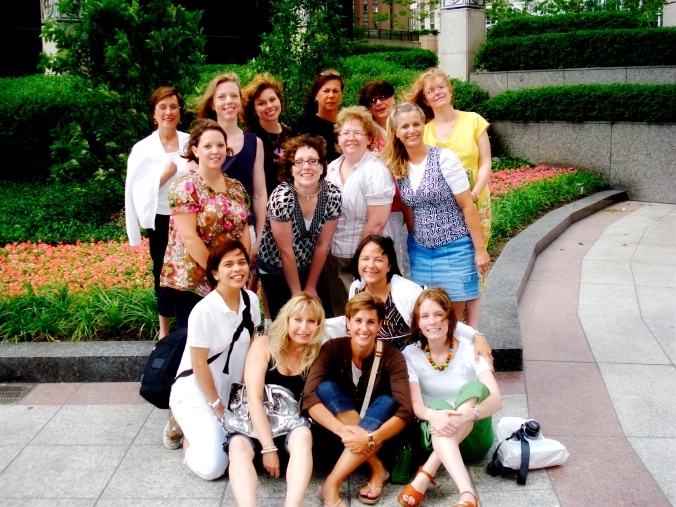
First Time to Hug My Dearest Spraground Sistahs!
In person! What a thrill! This has got to be one of the most memorable and special experiences in my entire life! What a connection!
One of my favorite photos of Jes and me - taken by Susan
Love this photo taken by Jes!
Some of my absolute favorite people in the world! - Photo taken by Lisa
The Spraground Sistahs Take Over Windy City!
The only downside to this is that I end up missing them so much more now, and wish that the oceans were less wide and the lands were more spread out so that we could literally walk over to each other’s houses and give each other hugs in person anyday!
First Time to Do an Actual Hybrid Project
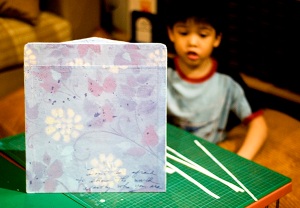
Ah… this one I was totally not sure about… but with a little modge podge, a little advice from my dear friend Lisa J (who won’t admit to being a creative crafter, but she is!), a little help from a carpenter friend who made the wooden box for me according to my specs, and a little help from my two sons who fixed the goodies/doggies inside it when it was done, I was able to play around with hybrid (yeah, so it was an adventure I’d been longing to do!) *and* use my heretofore unused-but-hoarded paper scrapping materials (and thus feel less guilty about the hoarding, haha) *and* come up with a birthday gift for my MIL who loves doggies!
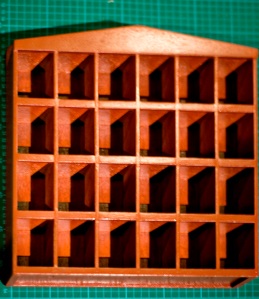
This is what I started out with: a wooden shelf with partitions, made according to my specs, with 4 rows of 6 little box-houses. The entire thing was about 12in x 24in.
Step 1 - Begin with a wooden shelf painted in colors you love (I didn't love the color on this one, hence the decision to decoupage the entire thing! 😀 )
Step 2 - Modge-podge (yes, I've turned it into a verb!) patterned paper onto the sides of the shelf.
Step 3 - Cut patterned paper into vertical strips and modge-podge them onto vertical divisions of the shelf.
Step 4 - Do the same for the horizontal divisions of the shelf.
Step 5 - Cover top of shelf with patterned paper. Wash modge-podge off your hands in between applications in case you happen to be munching on chips. 😉
Step 6 - Cover the back of the shelf with patterned paper to complete the shelf's clothing. 🙂
Step 7 - Attach eyelets to chipboard flowers using the ever-reliable, handy-dandy Cropadile!
Step 8 - Attach other embellishments to the top of the shelf to complete the look.
Step 9 - Make it a family project (and allow yourself to take a break!) - Let kids take care of arranging the doggies on the shelf.
Step 10 - Voila! Stand back and clap your hands as you survey your first hybrid project... because you've finally put some of your paperscrappin' hoard of goodies to use!
Hee! This was fun while I did it… I’ve always loved crafts, and nothing beats the doubled fun of working on projects with kids… but… what can I say? I love digi first and always. 😆
And now… to continue the alliteration started with the Five First’s… let’s talk about First FREEBIES!
And yes, I know, I’ve been giving out freebies for almost as long as this blog porch came into existence, but it’s my…
First Time to Come Up with an Album Template Mini Freebie!
Woohoo! I am so happy about this, and even happier to share these with you!
Here’s how this all ties in with my first First up there and my fifth First down here. Remember the Photo Phun post (the one featured in the graphic design blogs up there)? Well, that all came about because we at the Spraground were having the most fun adventure, led by the awesome Jessica, of coming up with a photo a day for the month of May! And since I’d been wanting to print out those photos and put them in an album instead of keeping them hidden inside a folder in my compy, I decided to create an album for them.
When I make layouts, more often than not, I sketch in my trusty little graph notebook (Moleskine graph notebooks ROCK!) how I want the layout to look. And then I translate that pencil sketch onto my computer with Photoshop! So I made a cover page sketch for the album and a few inside page sketches.
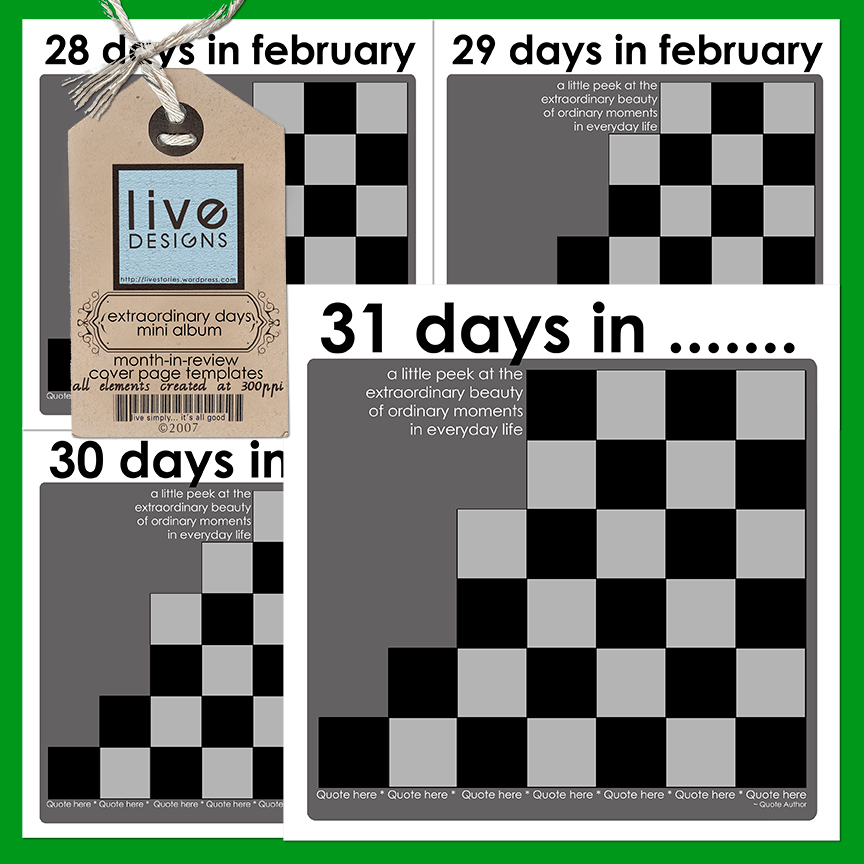
While I was working on moving that sketch onto my compy via Photoshop, I decided… hey, since I’m making a multi-photo page for the month of May (which has 31 days and therefore 31 places for photos), why don’t I make a similar template for 30 days? That way, if any of us decides to resume the Photo A Day adventure on any other month, we’d have a ready template for those months with less than 31 days?
And then, since my brain is known to dive into this sort of territorial waters–haha, I decided to go full-speed ahead and include February as well (both 29 and 28 days), to complete the entire range of possibilities!
So here are the different cover pages I made for my Photo A Day Album… and I’m sharing them with you, as always!
LivEdesigns Extraordinary Days Cover Page Templates
When you use these templates, just type in the month that applies to your album where the ellipses are (I’ve left the text editable; feel free to change it!). I’ve also included a phrase to show where the journaling can fit in… and below there is an area for you to include a quote if you wish.
These templates come to you in .psd format. Use clipping masks to get your photos and digi paper onto the mats and photo masks. 🙂
Note: If you’re into making regular layout pages that feature months-in-review, I figure these should come in real handy as well!
Click here to get the mini album cover page templates.
ETA: Link removed. See post of September 24 for new link.
Now, I can’t just give you the cover and not give you the inside pages as well, right? 😉
Sooo… I created 3 inside page templates, each one of which is a single-photo template. There are two different portrait-oriented / vertical photo templates for the left and the right side of the album, depending on how your pages turn out; and there’s a single-photo template as well for landscape-oriented / horizontal photos.
I only made three templates because that’s all that I needed… and by using each one of them within the album, you can get an album that’s both pulled-together and unified!
Oh, and there’s a bonus inside as well! I created two black glass accents for use on the album pages… one is a black glass swirl and the other is a black glass circle cluster. I’m including them inside the .psd template files, but they are created on transparent backgrounds, so if you wish to use them in your other layouts as separate elements, feel absolutely free to do so (just read my TOU and don’t forget the credits! 😉 ).
I’m presently working on zipping up the inside page templates, but since it feels like forever since I last released a freebie (and I’m uber-excited to share these with you 😀 ) I decided to release these cover pages now and come back and post the inside page templates in a separate download, once I’m done zipping them up! So don’t forget to check back for them!
I’m going to be working on my Photo A Day album in the next 24 hours (after I get the inside pages zipped up and on their way to you!), and when I’ve got my layouts done, I’ll upload them to share with you. If you use these and create pages or even an album of your own, do link me up! I’d looove to see how you use these and I would love even more the chance to marvel at the marvelous creations you come up with!
But am totally thrilled… just did my first action, which is really really simple, but which arose out of the necessity of uploading loads of photos from our Chicago Spraguefest onto the gallery which Jessica so kindly created for us on our Spraground! I just finished sorting through almost a hundred plus photos from the *first* day of our Spraguefest, and I was scratching my head, thinking, oh wow… if I have to resize all of these to websized files so I can upload them to the gallery, how long is that going to take me? There must be an easier way to do this!
Yep that’s me. Ever since I can remember, I would always think in terms of “What’s the most efficient way of doing this or that?” I guess it’s the latent problem solver in me (just wish this skill extended to a lot of real-life problems, haha!)
So, I did a bit of googling here and there, a bit of fiddling around here and there, and came up with 2 actions!
The first is called Batch Resize for Web, and what it does is reduce the width of your image to 600 pixels (the height automatically adjusts proportionally based on your original image’s height). It brings down resolution from 300ppi or higher to 72ppi, and it interpolates using bicubic sharper.
The second is called Batch Resize Original2Web, and what it does is just bring down the resolution to 72ppi and interpolates using bicubic sharper, but does not change the pixel size of your photo to a given measure. This would necessarily result in a larger physical photo than the first action, but still give you something that can be uploaded to galleries or emails where you are not constrained by small size limits.
I’ve created the action using CS3, so I’m sorry but I have no idea if it will work in Elements.
I created the action for doing batch resizing, but it can also be used to resize individual images (photos, layouts, etc) one at a time.
To use it to resize individual images, just load the action in your action palette, open your original image, and click on the Play button.
To use it to resize batch photos, just load the action in your action palette, and then:
1. Start by creating two folders anywhere on your compy. Name one folder “Originals” and the other folder “Resized” (or whatever you want to call it, as long as you know which folder the originals are in and which folder you want the resized photos to go into). Dump all the images you want to resize in the Originals Folder. You can also resize them directly from the existing folder that your photos are in, but in case you have chosen only a specific set of files to resize from a folder that contains more images, the Originals folder would be a better option.
2. Go to File > Automate > Batch.
3. In the Batch dialog box, under Play – locate the name of the action in the actions dropdown list.
4. In the Source area, select Folder in the dropdown list and select Choose. Navigate to the place on your hard drive where you placed the Originals folder. Don’t forget to check the two last boxes that allow you to suppress warnings and options.
5. In the Destination area, select Folder in the dropdown list and select Choose (exactly like the previous step). Navigate to the Resized folder that you just created.
6. In the File Naming area, you can input the names of your files, if you wish to change their filenames. What I did was to choose “2-Digit Serial Number” and keep the extension specified (in my case, jpeg).
7. Don’t forget to check all the boxes in the Compatibility area so that everyone, regardless of what platform they’re using, can view the photos.
8. Click OK.
Once you click OK, Photoshop will open each photo you’ve placed in the Originals folder, resize it, and save it to the Resized folder. Sometimes you might get prompts that ask you to select save settings (mine did for some); when this happens, just click OK and the process of saving the image will continue with the next photos in the batch.
I learned how to do this from Wired How To Wiki, a pretty cool place I just discovered. 🙂
So… for my Chicago Spragsistahs and for all of you, my friends, who’ve come to visit and sit with me on my blog porch, here’s my action set. Hope you find some use for it! 🙂 (And thanks so much in advance for the love you leave on my blog! 🙂 )
It’s been a super-fabulously EXCITING couple of days, staying up round the clock and working, working, working, and waiting, waiting, waiting… for the FIRST BIRTHDAY of our beloved Spraground!!! 😀
Our Spraground, aka jessicasprague.com, just turned one year old on June 4th, and we’re having a week-long celebration (or likely longer, since we all have a tendency to party at all times over there! 😆 )! The site is new, with a MARVELOUS new look created by the awesome Jessica-and-Jared tandem, and lots of new things to celebrate! All of the great things, and then some more!!!
Jes is so wonderful: we now have MORE awesome courses offered right on our Spraground, so if you’ve happened to stumble onto my blog porch and haven’t visited our beloved Spraground, do come and join our celebration!
THE Candice Stringham will be offering a fabulous Photography course for beginners!
The expert on all things Shoebox and Mac, my friend Molly Schneider, will be offering a Shoebox class for digital organization… (Last month my sister was just sighing over the dearth of resources and support for Shoebox use, and I had told her “Go look for Molly because she’s awesome and she’ll be able to help you out!”… It’s truly amazing how you make a silent wish and then Jessica hears and makes it magically come true!).
Heidi Vanyo, of DigiScrapInfo fame (she and sister Connie are the ACDSee experts), will continue teaching the ACDSee course.
Then there are other self-paced courses and more instructor-led courses coming up (including one on journaling and typography which Jes and I will be team-teaching on… this is totally EXCITING for me, and have I said what an incredible honor it is to be teaming up with the VERY BEST instructor??? WOOOHOOOO!!! 😀 )
Our site is totally THE place to be, so if you haven’t registered and checked it out, and you have even just a tiny teeny weeny interest in digi-scrapping, run, run, run to jessicasprague.com!!!
An Exclusive Freebie
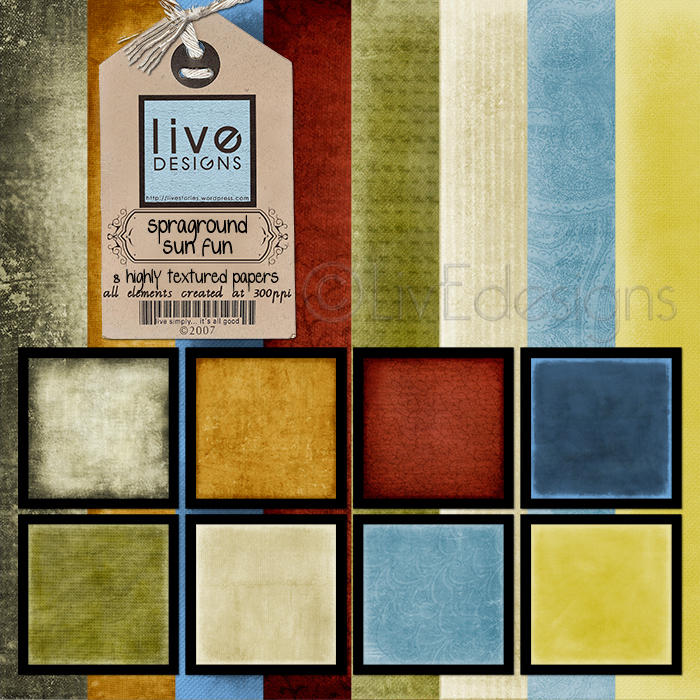
I’ve been working hard on a Spraground Exclusive Freebie for the past days… and am so happy to say that the first part is complete and uploaded on our Spraground! You have to be logged in to get it, so do sign up… not only for the freebie, but even more for the phenomenal learning going on in that awesome site, and for the fabulous friendships you’re surely going to develop as soon as you join our Spraground family!
Here’s the first part of the exclusive freebie (Note: Since this freebie is exclusive to the Spraground, having been created in celebration of our First Birthday, there won’t be any links to it on my blog. The links are on jessicasprague.com! )
There are 8 highly-textured papers in this first part of the freebie! Totally had fun creating these!
If you’re not yet playing with us on our Spraground, here’s hoping you come over and join us! There are enough swings and slides! 😆
Oops!
It’s again 5AM and here I am still sitting at my compy. I guess that means I should be going, huh? 😆
Just a quick one, as I’ve been through a whirlwind 2 weeks of real life and digi life and everything in between…
Just wanted to leave a quick gift for everyone who passes by my porch (and there’s iced tea and cookies and freshly brewed coffee too over here too! 😀 ).
Thank you for all the prayers and all the kind words that you’ve left in my comments. Your friendship is so precious to me, your words such a balm. You are totally awesome. Thank you from the bottom of my heart.
I am about 7 layouts delayed… 4 for our April challenges (was too busy wrapping up the previous run of the Up&Running course, and then attending to our Digi: In Deep course that followed on its heels 🙂 ) and 3 layouts for the templates that I created for our Digi: In Deep creative challenges.
I hit two birds with one stone by combining this week’s Spraground Weekly Challenge-Designer Spotlight with my template-layout requirement (yay!) plus I got to restore and scrap with old photos. So yay, this was a great case of getting many things on my to-do list checked at one go! 🙂
The designer we spotlighted on our Spraground this week was Anna Aspnes from DesignerDigitals, who–like every single designer in that fab shoppe–has the most amazing work and best of all, they are ultra-generous with their freebies! This past Sunday she gave out the most WONDERFUL plume freebies! So that’s what we played with for our challenge!
It comes with the drop shadows to make the three blocks look dimensional (but you can always disable the shadows), and you can use it either as a 3-photo template with journaling spaces; or a 6-photo template.
Hope you find some use for it! You can snag the template HERE, and thanks for the love you leave on my blog as you download it!
Well, gotta rush back to the one million one things I need to attend to.
Oh, and PS. Just a little request for prayers:
1. for my dear, precious friend Lisa who has just lost her husband and best friend (we are all grieving with her and we keep her in our thoughts and prayers, and would love to have you join us in lifting our prayers to Heaven); and
2. for my special intentions (which have to do with V-day… will let you know all about that soon!)
Thank you so much in advance, and do visit again soon!
Finally! Got my LDD application kit uploaded, got the confirmation, and now I’m playing the waiting game… 🙂
After spending 2-3 weeks conceptualizing my kit in my head, deciding on color schemes, and then 24 straight hours of trying to translate that imagined concept onto my compy monitor, it does bring a huge sense of accomplishment to be done with it. The only problem now is I’ve got so much energy, I’m searching for more stuff to do! 😆 (Like I don’t already have my plate full… hahaha!)
My Spraground friends Dawn and Lisa have also submitted their application kits so we’re all keeping our fingers crossed… I think it’s totally awesome that we’re taking this adventure together!
Rockin Spraground Playground!
We had awesome results flowing in for our Spraground Weekly Challenge this week (remember the template?) I love every single thing that these wonderful playground-friends of mine have created… there’s an amazing amount of creative talent on our playground, and that makes me awfully proud of our sweeties! (Oh and our sweetball… we have one really fun guy playing with us now too! 😉 )
Here was my take on the template challenge. I wanted to keep it simple and straightforward… and here’s what came out of that:
Journaling:
countless and immeasurable: the grains of sand that you cup in the palms of your little hands… infinite ~ everlasting ~ just like my love for you.
CREDITS:
Kim Christensen’s Cardstock Alpha black paper. Gemstones and Template by me!
And yes, there is!
A freebie, I mean! Right over here!
Another template… because I promised my friend Di, who’s on a CT, that I’d create a template for her to make her job of creating loads of layouts easier. 😀 The advantage is… we all get to use the template as well! hahaha!
So here’s what I came up with:
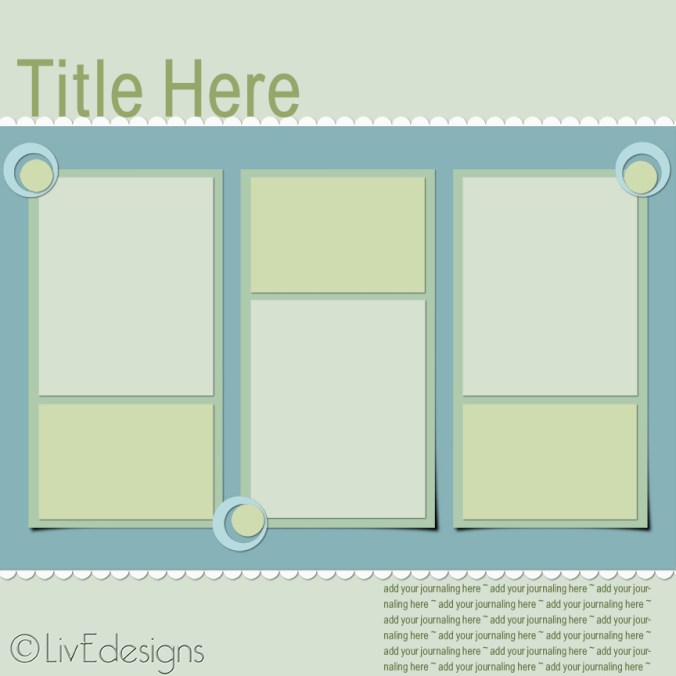
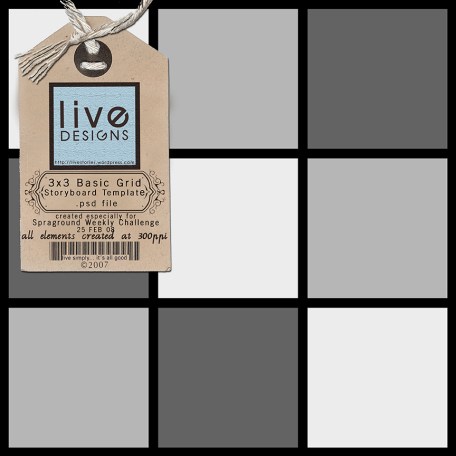
I know it’s a very very simple template, but then I think that’s when one can draw the most varied uses out of it… when it’s simple and adaptable to one’s needs. You can resize this, you can flip it, you can remove some of the masks if you wish… the sky’s the limit when you play with templates, right?
This is a psd file, so that means that you can use clipping masks to get your papers or photos onto your layout with a simple CTRL-G for PSE users and a simple mouse-hover-between-layers+ALT-CLICK for CS. The masks come with built-in drop shadows, but you can always clear the layer style if it doesn’t suit your needs.
You can download the multiphoto template no. 2 HERE.
Whoa! Gotta go. Dinnertime! I really just wanted to post a freebie up for you… hope you find some use for it, and thank you in advance for the love you leave on my blog!
(((((((((hugs))))))))) to you, my sweeties, and I’ll see you again soon, okay? 😉
PS. Some of my playground friends asked for the gemstones that I used on my template challenge layout… they may be coming soon! 😉
Before anything else, I’d like to give the most HUMONGOUS hugs to all my friends who’ve left love and prayer wishes for my son here on my blog and on our playground… I wish I could put into words how infinitely grateful I am for the time you took to send a little note to heaven for my little one. He’s still doing the meds and the nebulization rounds, but as of yesterday his coughing fits have significantly lessened and I attribute the improvement TOTALLY to all the prayers of my dearest friends — that’s right, YOU — all over the world.
Hand on my heart: I love you all. Thank you soooo much.
(These words don’t come an iota close to expressing the extreme gratitude and affection I have in my heart for you… but it’s all I have now, unless I can clone my body and come to you one by one to give you the greatest, warmest hugs).
Please continue to keep him in mind till he gets over this health hump. Thank you again!
And now… for the fun part:
Next week our Weekly Spraground Challenges begin officially… in the meantime, we’ve been continuing the excitement and fun of playing on our playground! For this week, we will have a template challenge (read all about it on our Spraground!).
Here’s what the template that we’ll be playing with looks like:
Download the template here. (Thanks for joining the game, and thanks for the love you leave!)
Been quite busy…
taking care of a million and one things. Not really different from the rest of my friends on the playground, who seem to be quite swamped with the demands of real life as well (funny how 2008 really just shot off like a race car wanting to set a huge lead ahead of the rest, huh?)
So I won’t stay long today… have yet to continue work on my LDD application kit (yesterday I played around and came up with around 20 papers and I was happy with… ONE. 😆 So I really need to play some more. Isn’t it funny how self-imposed pressure can make everything seem not good enough? 😆 )
Also need to care for my little sick duckie. So I’ll catch you around again soon, okay?
Alright, this has been a very busy couple of days lately! But fun!!!
The very first course-for-the-year-2008, Now We’re Rockin’ with Photoshop, has just started its second run over at our playground, and I’m so excited to be part of the journey of the new (and not so new) students! I inevitably end up spending most of my time skipping around the class forum and the gallery, and of course there’s the regular main forum where we all hang out and the main PSF gallery where we hang our layouts 😆 Love the buzz and natural high that Jessica’s courses always create! 🙂
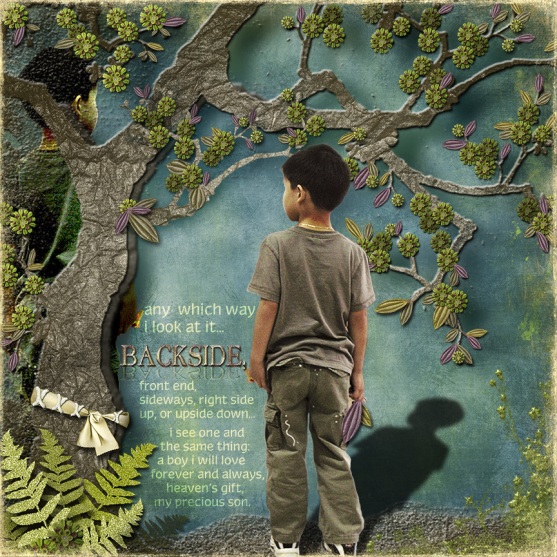
I completed my layout for the Oscraps Designer Spotlight Challenge featuring Annie Manning / Paint the Moon. It was a lot of fun, even if I did spend an entire day working on my layout (one day before the deadline for uploading, so it was a do-or-die situation again for me! 😆 ). It was totally an experiment and a wild thing I just thought of in my mind (with a bit of a prompt from my son, who suggested that I use a shadow for the multiple-photo requirement). And because I had never done any layout like this before, never dreamed I’d ever make a layout like this, it was totally playtime for me! I ended up with more than 140 layers (i kid you not! Though I did merge them in the end, when I was done), and just as many layers of smiles on my face when dh told me it was his favorite layout.
Here’s what I made (this counts as my LOAD for Day 19!)
Journaling reads:
any which way i look at it… BACKSIDE, front end, sideways, right side up, or upside down,,, i see one and the same thing: a boy i will love forever and always, heaven’s gift, my precious son.
CREDITS:
All items from Annie Manning’s Nature’s Glow kit, plus Michelle Coleman’s Glow overlay & paper, Sara Carling’s treelove paper, Jason Gaylor’s brush, and atomic cupcake.
Thank you to all my darling friends on the playground (and on Oscraps too!) who left such kind comments. And Annie, thank you!, your comments totally made my day too! 😀
LOADDDDDDD Updates
I missed posting my latest Daily December layouts (which were my LOAD for Days 18 and 20). I have yet to make my LOAD #21 and 22. Phew! Gotta be working fast now! 😉
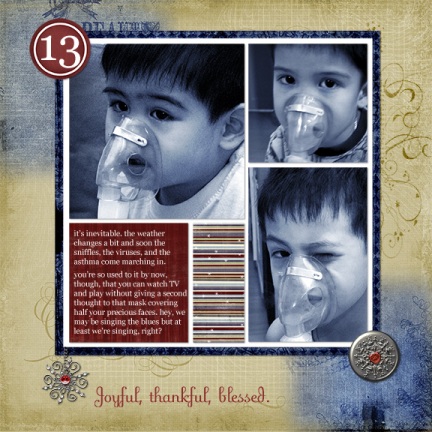
Here was LOAD Day 18 (which was also Daily December No. 13)
Journaling reads:
it’s inevitable. the weather changes a bit and soon the sniffles, the viruses, and the asthma come marching in.
you’re so used to it by now, though, that you can watch TV and play without giving a second thought to that mask covering half your precious faces. hey, we may be singing the blues, but at least we’re singing, right?
CREDITS: Jessica’s fab Daily December template, Katie Pertiet’s grid frame, Michelle Coleman’s topper and Winter Wonderland papers, beaded and jeweled snowflakes, and charm jewels. Also: Emily Merritt’s paper, my own gemstone, and John’s Photoblast EZaction used on the photos.
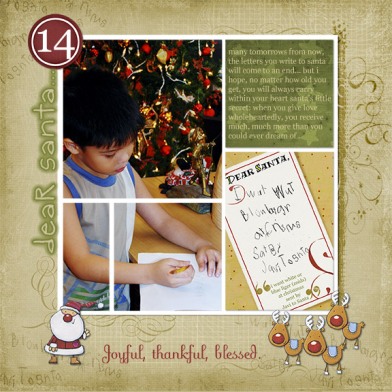
And now here is the LOAD I made for Day 20:
Journaling reads:
many tomorrows from now, the letters you write to santa will come to an end… but i hope, no matter how old you get, you will always carry within your heart santa’s little secret: when you give love wholeheartedly, you receive much, much more than you could ever dream of.
CREDITS:
Jessica’s fab DD template, Michelle Coleman’s topper & paper, Katie Pertiet’s grid frame and quotes, Papers by Lisa Warren and Misty Mareda, atomic cupcake, and elisabethmey for the super-cute christmas hero freebies.
I’m running out of Daily December ideas! 😆
Delayed but not Delinquent! 😉
So I took longer to put up the last set in the Pasteleria series. Parting is such sweet sorrow… I hate to see this kit end, but am excited to explore making the next freebie kit for you, my sweeties!
{ Click on image for larger view }
Here’s what comes with this set: Teal Garden is a textured solid paper; Baby’s Breath-Love is a pastel blue paper with lavender heart doodles that I made; and SoftSun-Torn Edge is a 12×12 textured orange paper with a torn edge (if you want to use it as a photo mat or a journaling space, feel free to resize it 😉 )
The jumbo brad that I promised would come is now here! (Preview shows its “actual” size in relation to the layout size above). You can easily resize it to make it a smaller brad too.
There’s a heart doodle that you can use as a frame, as an accent, as a journaling block… And then, at the last minute, I decided to create WordArt to go with the kit as well. The quote is by ralph waldo emerson.
Alrighty then… I would want to sit a while longer with you, my sweeties, but it is almost 4AM again in my part of the world, and I need to get some rest so that I can catch up with 2 LOADS by tomorrow!
As the ever-playful, bouncy Tigger says: Tata for now!!!
PS. Angela, I’ll post tomorrow or the next day about the Lasik experience 😉 I hope your son’s surgery was a huge success!
There’s so much I want to do, and not enough time in a day to do it all! How many of you have felt this way? How do you handle it? Is there some secret you can share with me?
LOAD Day 10 & Daily December No. 6
Got this done this morning.
One of the lovely advantages of having 5 sons is that as they grow older, they eventually take over the task of getting the Christmas decor up, so that I am free to sit and watch them with a smile on my face, wondering how I got so lucky to have such great guys (and related to me, too! 😆 )
Journaling reads:
last year there were three; now there are four of you working together to put up the tree and trim it. next year j will be old enough to join the fun as well. each christmas, year after year, i can just sit and watch you for hours, filled with quiet pride and gratitude. i am so lucky to have such great tree trimmers!
Over at her blog, my dear friend Jessica mentioned Ali Edwards’ Word for the Year (another amazing lady there!)… with a twist: Jess has decided she wanted a Word for a Month instead. Given my own love for words, I totally agree with her! (Also, nice to have 12 words to live by instead of just one for the year! 🙂 )
I decided my word for January would be ADVENTURE.
noun: an undertaking; an unusual or exciting experience
verb, tr.: to venture upon; undertake or try
verb, intr.: to take a risk in the hope of a favorable outcome; dare
synonyms: (n)risky venture, escapade; (v) take a risk, take a chance / related words: (n) project, task, undertaking, labor; (v) chance, attempt, try, seek
I think this is a great word to start the year off with: I’ve always loved adventures, whether of the real kind (the kind that took me to places as a kid) or the vicarious kind (the kind that I take now that I’m older, which normally I gather from museum trips, reading books and magazines, surfing the net, and playing around).
I also like that the related words (project, task, undertaking, labor) are so closely related to WORK. I have such a great respect for the dignity of work. I think working to your best capacities and abilities, in the simplest thing (sure, even in tasks as simple as cleaning your bathroom or picking up that piece of tissue lying on the floor) and offering it up to our Lord, is one of the best prayers and one of the best ways to give back glory to Him who has given us all we have.
Who knows what adventures lay ahead this year? Just thinking about it is so exciting! Here are a few that come to mind:
Adventures in Design:I love learning. I love the adventure of discovery, of finding out new things, of learning something new everyday. I guess that’s why I love designing so much: every kit is an adventure into the unknown! I see something in my mind and I try to create it digitally. When the vision and what I see on my monitor match each other, it’s such a WOW moment for me that I can’t wait to share it with all my friends! (hence the freebies 😀 ) I want to learn a lot more and experiment a lot more with Photoshop and designing. I need to open those new/old software CDs that have sat in my drawer (was once too terrified to attempt them, am more adventurous now), among them: CS3 and Xarax.
Every class with Jess is an adventure: I am so looking forward to our next adventure in March, which is when our Digi: In Deep course will begin its maiden journey.
Doing something I would not normally do: take a risk = adventure. I am normally what my people would call segurista. One who does not like taking wild chances; one who finds much sense in the saying, “better safe than sorry.” But nothing big has been accomplished by staying on safe ground when you could be sailing the high seas (with WISDOM, of course). So I think it’s a good time to attempt to go back to those days of abandoning fears and just jumping in with both eyes closed and fingers crossed (uhhh. I really think my Lasik adventure last Monday is a good case in point). 😆
Another case in point:
I am normally a shy person (I kid you not; even if it may seem unlikely. 😆 ) When I see friends I haven’t seen in ages, I vacillate between saying hello and re-introducing myself and staying away so that I don’t subject that person to a blast from the past that they may or may not welcome.
Last night, as hubby and I were walking (killing time while waiting for our dear friends Jun and Abby to arrive–we were having dinner together), I happened to see a guy who was very good friend of mine back when we were in university… but we happened to lose touch over the years (I distinctly remember the exact time we last spoke: it was when he invited me to his wedding to this sweet girl, who just happened to be a Philippine actress… and I do get really shy [almost reticent] around showbiz personalities, so I stayed away. And we lost touch after). Anyway, hubby said to me, “Well, why don’t you go over there and say hi?” So, very uncharacteristically, I walked up to A., said hello using the petname we in our group of friends used to call him back then, briefly saw a look of non-recognition pass in his eyes, and right after I gave my name. My maiden name, of course (we lost touch even before I got married). And with the mention of my name, there was recognition. It was quite funny, actually: watching his eyes was like watching the aperture opening of a camera, first small then becoming larger and larger. He said “Hiiiiiiii!!!!” and turned to the lady friend he was with, introduced me, and said “We’ve known each other since she was like ten years old!” I said “Yeah, we go waaaay back.” We exchanged cellphone numbers, and voila!
Fun. Always good to reconnect.
And as if that wasn’t enough: after dinner, on the way to our cars, Jun, Abby, hubby and I were walking and we chanced upon J.M., who was overseeing the opening of the Paul Smith store at this new mall. He said hello to Jun and Abby, and when Jun turned to introduce me and hubby, he looked at me and said “Hey, I know you!” to which I answered, “yup, we were at the beach together years back, with C., T. and L.”
Another blast from the past. That makes two in one night!
And then… not five minutes after… as we were standing by the driveway of the center of the mall, the car in front of us drove up, and who was about to get into it? Another friend from college days, now married to another showbiz personality. I had briefly spoken with him at the launch of the Our Father book, and reintroduced myself then… (one of those rare bold moments I had, but I was extraordinarily courageous then… after all, that was OUR launch. haha!). Anyway, he and his sweet wife were about to get into the car, and I said hello. And this time, I didn’t have to reintroduce myself!
And that, folks, completes Round Three. Three amazing blasts from the pasts. Hey, I should’ve been in Vegas. Maybe the slot machines would’ve made me rich tonight, given the three hits at adventure I got in just one night! 😆
Connections. We are all connected to each other in various ways. I think it’s amazing when events like this happen one after the other; makes you really consider what a small, small world this is.
Capturing images is an adventure: I want to play a lot with my camera and learn a lot more about what I can do with it. I drive my hubby crazy when I attempt to lug my Lowepro slingback wherever I go. The few times I am successful at resisting the urge to pick it up before I go out the front door, I end up regretting it (“Oh wow, do you see the lines that those eaves make? Geez! Wish I had my camera with me! See the pattern of the leaves’ shadows on the pavement! Geez! Wish I could take that, if I had my camera with me!” ). Yesterday, of course, was one of the few times I left Cameran at home (and regretted it), and so I was demoted to taking photos of lines and lights that amazed me with my cellular phone. Oh, the humiliation! 😆 But, it was the best I could do at the moment!
Speaking of Photography…
Have you seen this take of Annie Leibovitz’ shoot with the Queen of England? I found it very interesting, mostly because it IS the famed Annie Leibovitz, amazing woman photographer, best known for her photo of a very pregnant Demi Moore in her birthday suit on the cover of Vanity Fair way back. Another reason for my interest: it took me back to the time when I was in the fifth grade and knew all the trivia there was to know about the Royal Family (this coincided with the engagement of then-Lady Diana to Prince Charles, and with my first attempt at a short hairstyle a la Diana… eeeeuw! how embarrassing! 😆 )
Oh… have I introduced you to the royal fam? That’s Anne, Charles, The Queen, Prince Philip, Andrew, and the Queen Mum… and me, in front, with my very proper, English, royal smile. (Long hair tied at the back will tell you this was way back in ’97)
Okay… so maybe the photo was taken at Madame Tussaud’s. Makes for some great laughs though, doesn’t it? 😆
Hey, you think my friend Veevs, royal relation to this family, would approve?
😆
Enough playing around for now… I’m off to attempt some freebies! woohoo!



 )
)















 liv.e simply